GenAI Mind Map Flow Builder is a cutting-edge, AI-powered tool designed to convert complex, multi-format data into structured, interactive mind maps. Powered by LLMs like OpenAI GPT-4o and Google Gemini, it allows users to process, query, visualize, and summarize knowledge extracted from diverse sources.
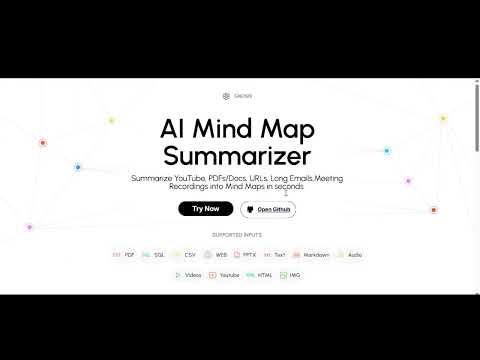
- Upload or connect multiple data sources including:
- Documents, csv, web pages, databases, images, audio, and video
- Add unlimited data sources in one flow
- Reuse and interlink previous answers
- Uses OpenAI GPT-4o and Google Gemini to:
- Extract data insights and visualize them with graph and dataframes (tables)
- Ask multiple questions on multiple data sources
- Generate mind maps automatically for single data source
- Prepare PDF Report for the entire flow
- Automatic Mode:
- Upload any one source
- Mind map and summaries are auto-generated with dataframes and graph visualization
- Manual Mode:
- Upload/connect multiple sources as you can
- AI suggests follow-up questions based on context
- You can:
- Ask Answers on follow-up questions
- Ask your own questions
- Generate PDF report
- AI replies in a 3-part format:
- 🧾 Answer
- 📊 Data Table / DataFrame (if applicable)
- 🌐 Graph (if applicable)
- Ask questions across:
- Multiple sources
- Previous AI responses
- Link insights between different data nodes
- Export entire flow as an AI-generated structured PDF report (Insights will be generated)
- Auto-capture questions, answers, tables, graphs, and source traceability
- Download/share mind maps as images or JSON
- Export complete flow as a detailed report (PDF)
- Print-friendly visualization
| Category | Supported Formats |
|---|---|
| Documents | .pdf, .docx, .txt, .md |
| Spreadsheets | .csv |
| Presentations | .pptx |
| Images | .jpg, .jpeg, .png, .webp, .svg |
| Audio | .wav, .mp3, .aac, .ogg, .flac, .mpeg, .aiff |
| Video | .mp4, .webm, .wmv, .flv, .mov, .3gpp, etc. |
| Web Pages | Web URLs, HTML files |
| YouTube | Public YouTube Video links |
| Databases | SQL (MySQL, PostgreSQL, SQLite), etc |


| Layer | Tech |
|---|---|
| Frontend | ReactJS, CSS |
| Backend | FastAPI (Python) |
| AI Models | OpenAI GPT-4o, Google Gemini Pro |
| Storage | Local File System, AWS S3 |
| Database | MongoDB, SQLite |
| Vector Store | ChromaDB (configurable) |
git clone https://github.com/NextGenAILabs/GenAIMindMapFlowBuilder.git
cd GenAIMindMapFlowBuildercd backend
python -m venv .venv
source .venv/bin/activate # or .venv\Scripts\activate (Windows)
pip install poetry
poetry install
uvicorn app:app --reloadcd frontend
npm install
npm run devCreate a .env file inside the backend/ folder:
# .env
mongo_db_url=
openai_api_key=
gemini_api_key=
aws_access_key_id=
aws_secret_access_key=
bucket_name=
Replace values with actual credentials.
- Upload a
.pdf, connect a SQL database, or paste a URL - AI reads and summarizes data
- System builds a visual mind map
- Ask follow-ups, skip them, or ask custom questions
- Explore answers (text + table + graph)
- Export final report as a shareable PDF
| Model | Purpose |
|---|---|
| OpenAI GPT-4o | NLP, summarization, Q&A, flow generation |
| Google Gemini Pro | Multimodal input (text, image, video), deeper analysis |
This work is licensed under a Creative Commons Attribution-NonCommercial-NoDerivatives 4.0 International License.

📧 Email: nextgenailabs99@gmail.com