eRPC is a fault-tolerant EVM RPC proxy and re-org aware permanent caching solution. It is built with read-heavy use-cases in mind such as data indexing and high-load frontend usage.

- Create your
erpc.yamlconfiguration file:
logLevel: debug
projects:
  - id: main
    upstreams:
      # You don't need to define architecture (e.g. evm) or chain id (e.g. 80084)
      # as they will be detected automatically by eRPC.
      - endpoint: https://berachain-bartio.blastapi.io/xxxx
      - endpoint: evm+alchemy://xxxx-my-alchemy-api-key-xxxx
See a complete config example for inspiration.
- Use the Docker image:
docker run -v $(pwd)/erpc.yaml:/root/erpc.yaml -p 4000:4000 -p 4001:4001 ghcr.io/erpc/erpc:latest- Send your first request:
curl --location 'http://localhost:4000/main/evm/80084' \
--header 'Content-Type: application/json' \
--data '{
    "method": "eth_getBlockByNumber",
    "params": [
        "0x226c32",
        false
    ],
    "id": 9199,
    "jsonrpc": "2.0"
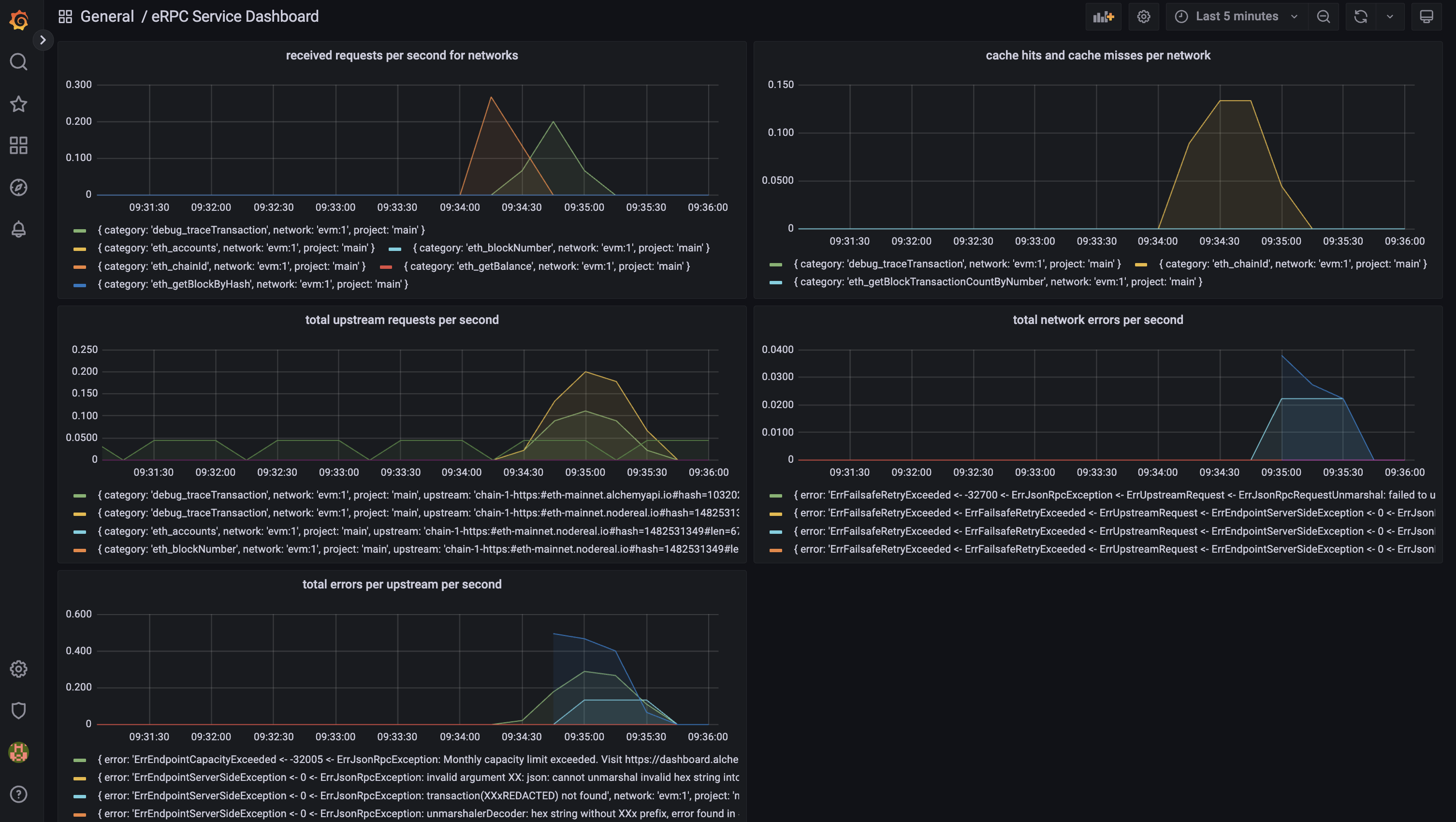
}'- Bring up monitoring stack (Prometheus, Grafana) using docker-compose:
# clone the repo if you haven't
git clone https://github.com/erpc/erpc.git
cd erpc

# bring up the monitoring stack
docker-compose up -d- Open Grafana at http://localhost:3000 and login with the following credentials:
- username:
admin - password:
admin
- Send more requests and watch the metrics being collected and visualized in Grafana.