Layer manager
Layer manager (switcher) displays layers added to a map grouped by topics similar to directories (path property of layer definition) and allows user to toggle on/off layers and reorder them. It also displays info for broken or not available layers due to current map scale not being in the range of scales supported by the layer.
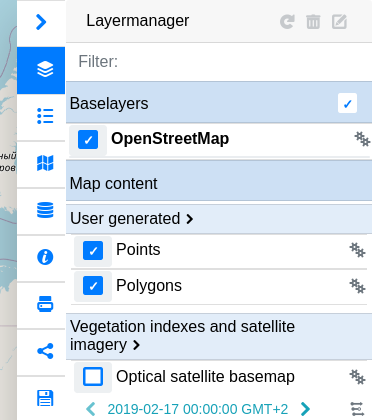
List of useful config parameters for the layer manager panel can be found here:
import {HsConfig} from 'hslayers-ng';
@Component({
  selector: 'your-app-component',
  templateUrl: 'your-app-component.html',
})
export class YourAppComponent {
  constructor(hsConfig: HsConfig) {
    this.HsConfig.update({
      panelsEnabled: {
        layermanager: true //false,
      }
    });
  }
}
Add HsLayerManagerModule import:
import {HsLayerManagerModule} from 'hslayers-ng';
@NgModule({
  imports: [HsLayerManagerModule],
})
export class YourAppModule {}
Add HsLayerManagerComponent:
import {HsLayoutService, HsLayerManagerComponent} from 'hslayers-ng';
@Component({
  selector: 'your-app-component',
  templateUrl: 'your-app-component.html',
})
export class YourAppComponent {
  constructor(hsLayoutService: HsLayoutService) {
    hsLayoutService.createPanel(HsLayerManagerComponent, {});
  }
}