The class/module list GUI does not update after operations automatically (requires clicking the box/restarting) #9

Description

Before:
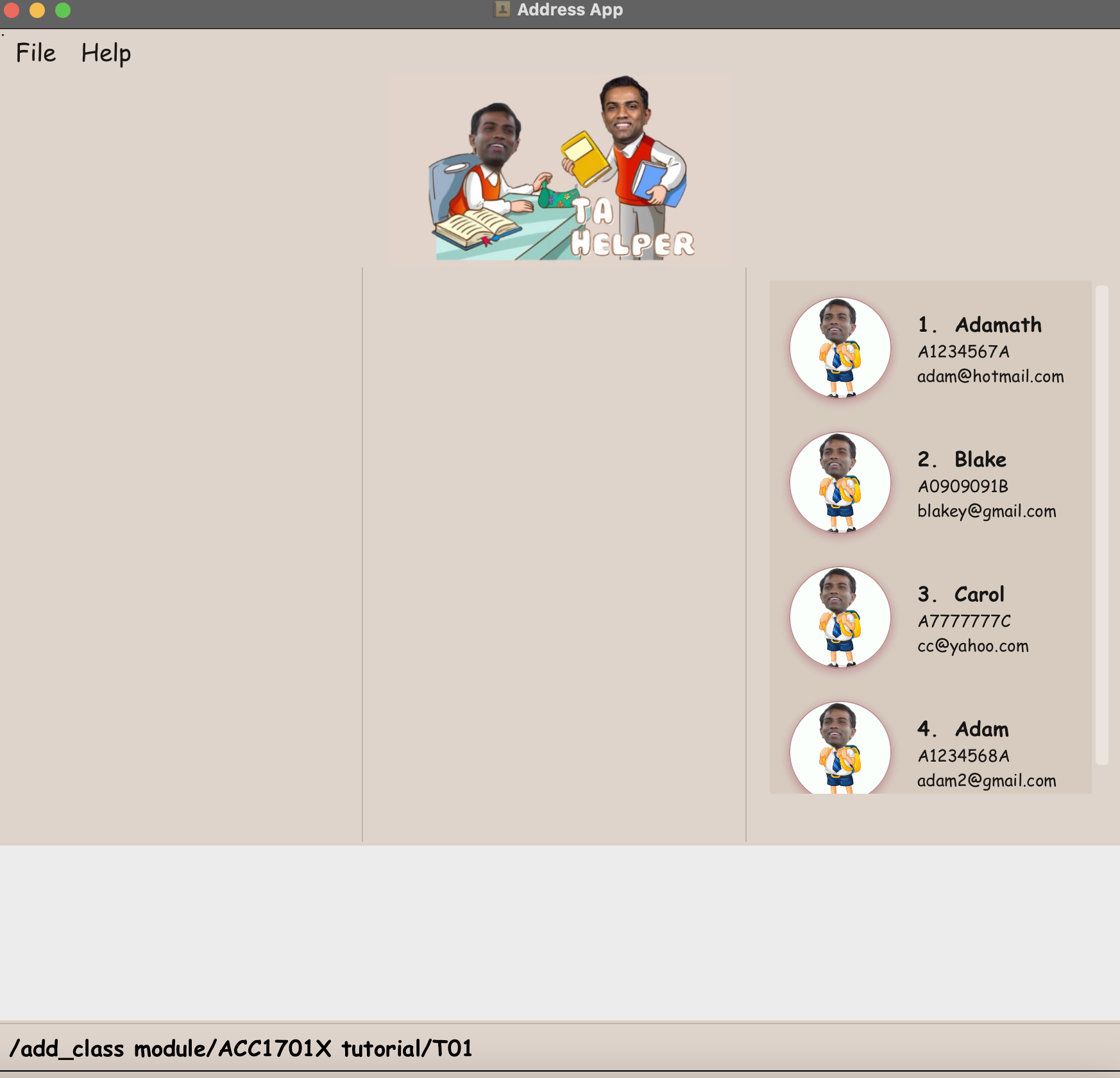
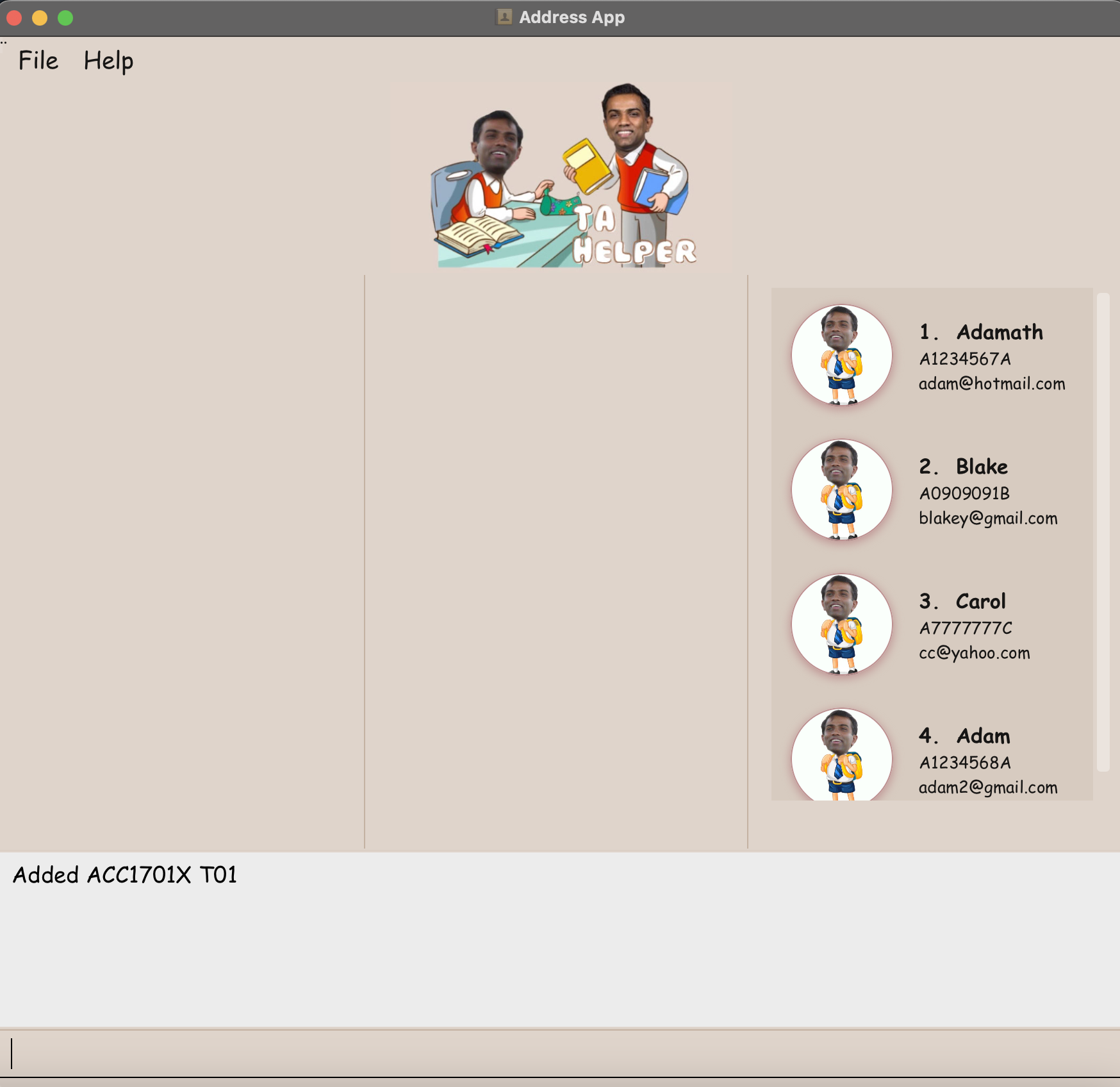
After executing add command:
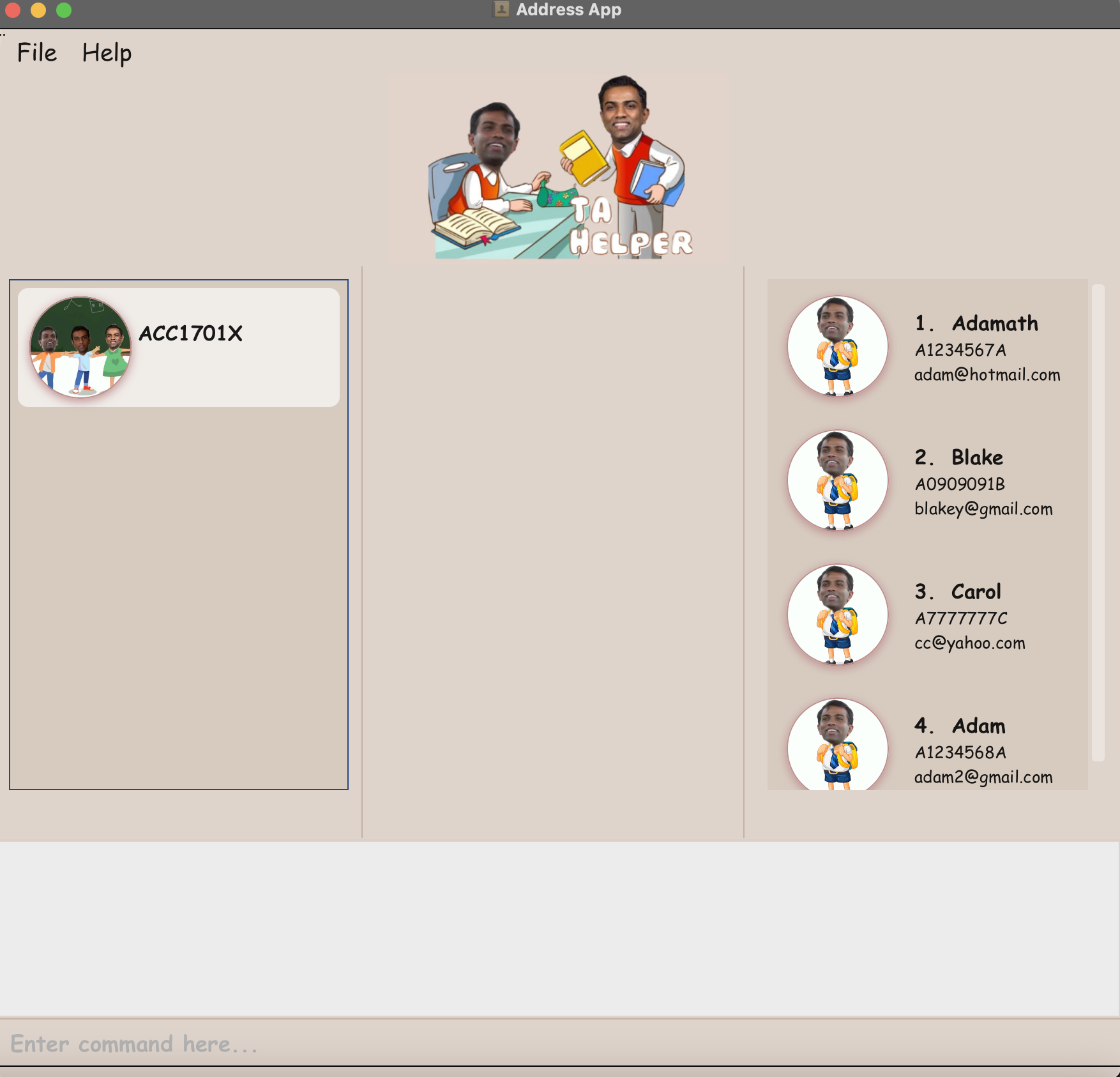
After restarting app:
Detailed description:
The module list does not update immediately after operations (example: tried with /add_class and /delete_class). Instead either a restart or clicking on the UI Box is required for the updates to be reflected on the GUI.
Steps to reproduce:
- Launch the app
- /add_class module/ACC1701X tutorial/T01
Output: Logger states "added ACC1701X T01". However, the GUI remains empty.
- Either restart the app or click on the leftmost UI Box to get the updated GUI.
I believe this bug can be slightly problematic from a user standpoint as well. After adding a class, it would be more intuitive to see the new classes I've added visually without having to restart the app. Having to click on the GUI can also be unintuitive considering this is mainly meant to be a CLI app.
(Note: this issue may be interlinked with the student list not updating after /list_students command as well)