Home
Welcome to the sonmari wiki!
Sign Language Translator (sign-language-to-text)
It is a hospital sign language translation program that translates sign language into Korean words. When the computer camera shows sign language movements, it outputs the corresponding Korean language.
For example, if you show the camera the sign language movements such as diarrhea, cold, and runny nose, this motion is recognized and the meaning is displayed on the screen in Korean words. In addition, we have the 'reset' action, so until the program is recognizing the 'reset' action, all the translated words are displayed on the screen, enabling understanding of the sentence level.
As a result, doctors will be able to understand the sign language movements of the deaf people and help with treatment.
- Python
- opencv, YOLOv4, PYQT5, CUDA
- HW : GPU built-in laptop(we have NVIDIA 지포스 RTX 2070), webcam
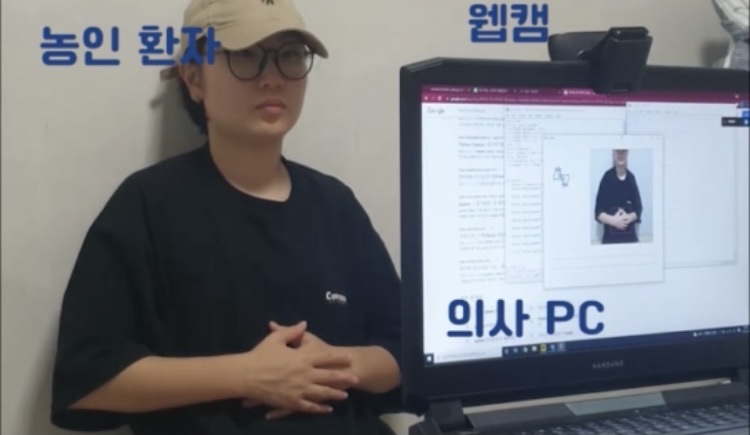
You need a laptop with a built-in GPU and a webcam that shoots sign language movements.
- First of all, YOLO installation is required. You can refer to here https://wiserloner.tistory.com/m/1247 for YOLOv4 installation.
- if you finish the YOLO installation, clone our sonmari program.
- Go to a download folder and open command prompt.
sonmari.exe
Sonmari's users are doctors and patients.
doctor asks the patient questions(For example, it's a question like "where does it hurt?")
Next, a deaf patient answers a question in sign language to the camera.
Then, the Sonmari program recognizes the sign language movement of patient, and translates it into Korean, finally outputs it on the doctor's screen.
At this time, the "reset" action is designated in advance. All recognized words are displayed on the screen until the patient takes the "reset" action so that outputs can be recognized in the form of sentences.

< https://youtu.be/WgXRq9RozLM >
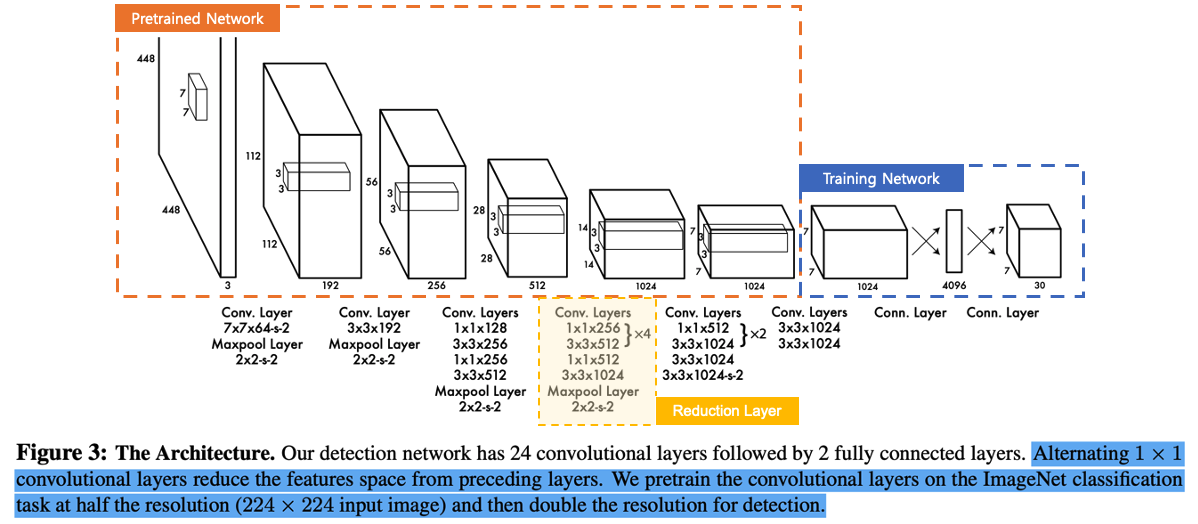
When translation for dynamic images is implemented through the combination of RNN and CNN, there is a limitation that the speed is slow or not real-time.
We wanted to implement both video translation and fast speed. In the process, we found YOLO, which provides real-time object detection at a high speed.
YOLO is an open source tool that provides translation for images at a very high speed in real time.
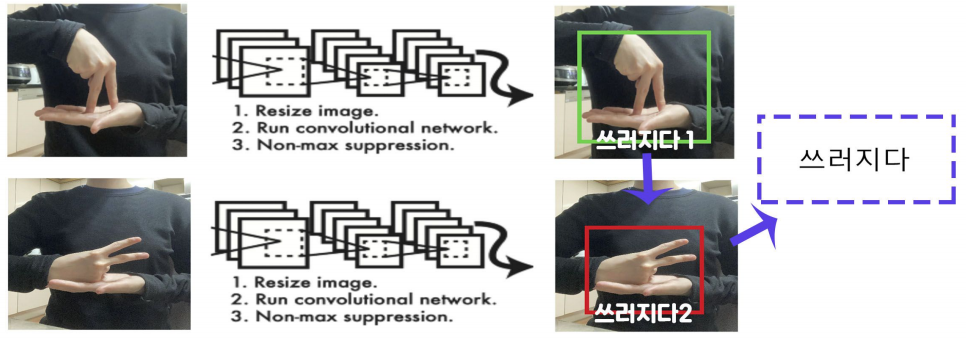
First of all, we have designated key images for each sign language, and we have trained key images of all words using YOLO.
Afterwards, we used Python to print out the appropriate word when all key images were recognized by yolo model. For example, if 'Falling1' and 'Falling2' are recognized sequentially, they are printed while 'Falling'.
we provides translation for a total of 20 words, including two, three days, a cold, runny nose, falls, diarrhea, yes, no, head, stomach, pain, hospitalization, and discharge, and initializes outputs by recognizing 'reset' movement.

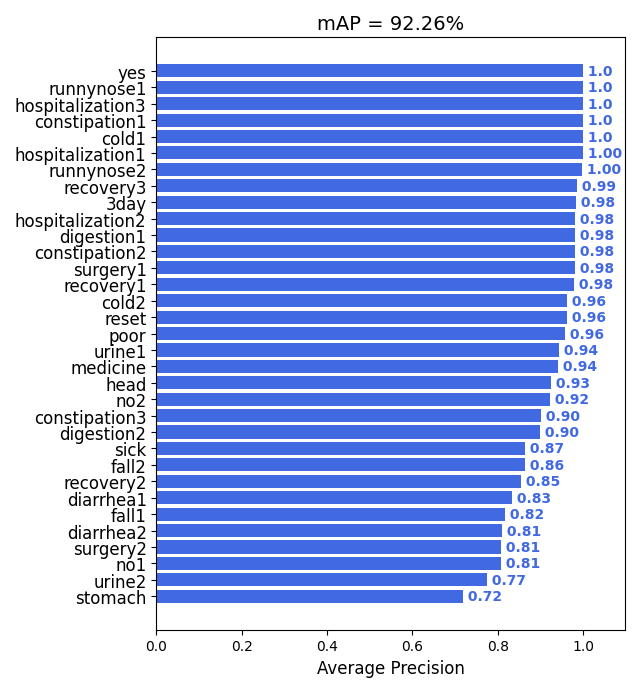
Looking at the above image, there are a total of 34 classes and at least 200-300 pieces of data are required for each class. we collected 10,000 sheets of image data and divided them into training sets, validation sets, and test sets at a ratio of 7:1:1.
we conducted training the training set in dark clothes, and worn bright and diverse clothes clothes when train validation sets to measure the performance of YOLO accurately.
If you are planning to train for other words, we recommend you to collect data as below, wear as many angles, environments, and various clothes as possible. It is recommended to collect at least 200 to 300 sheets for each class.
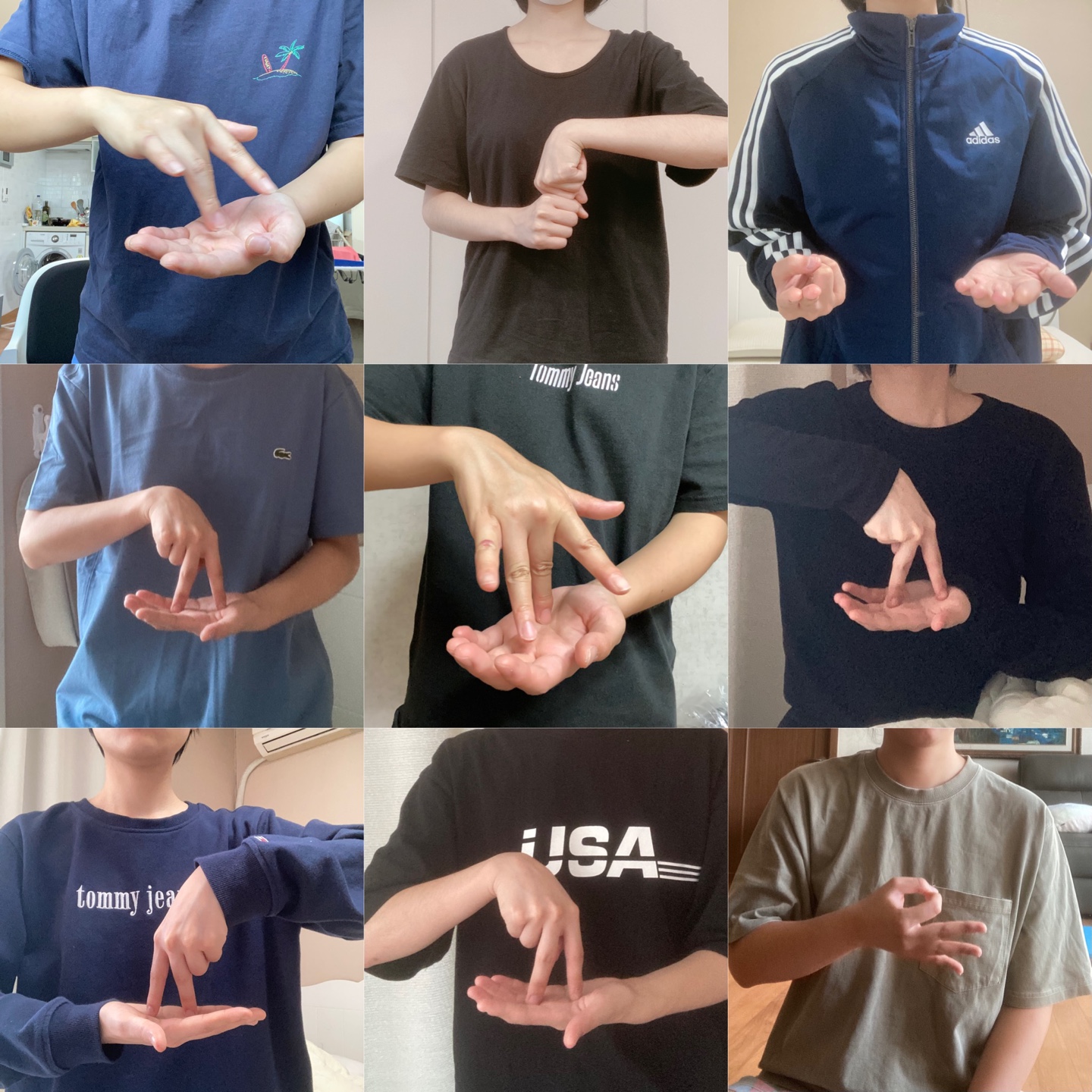
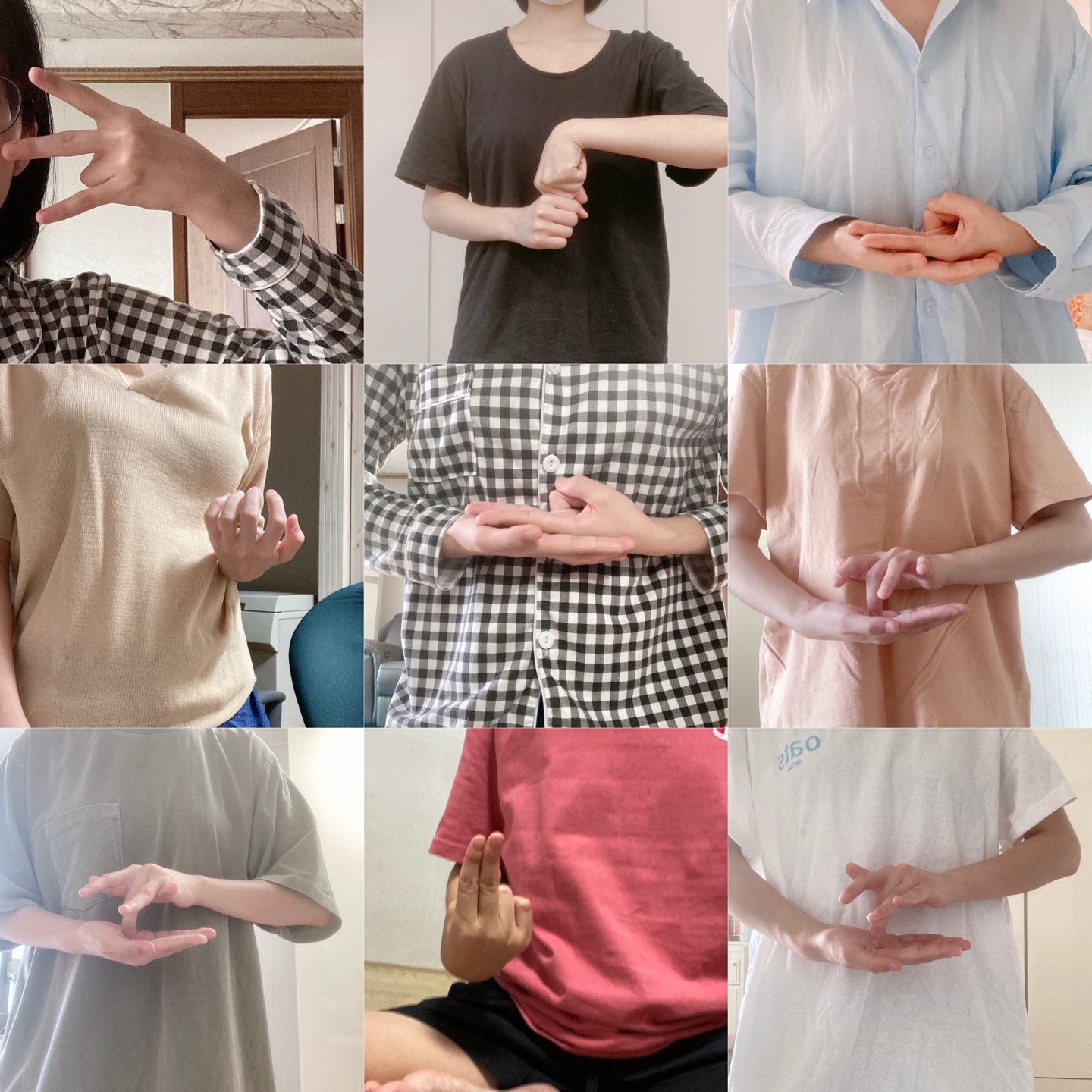
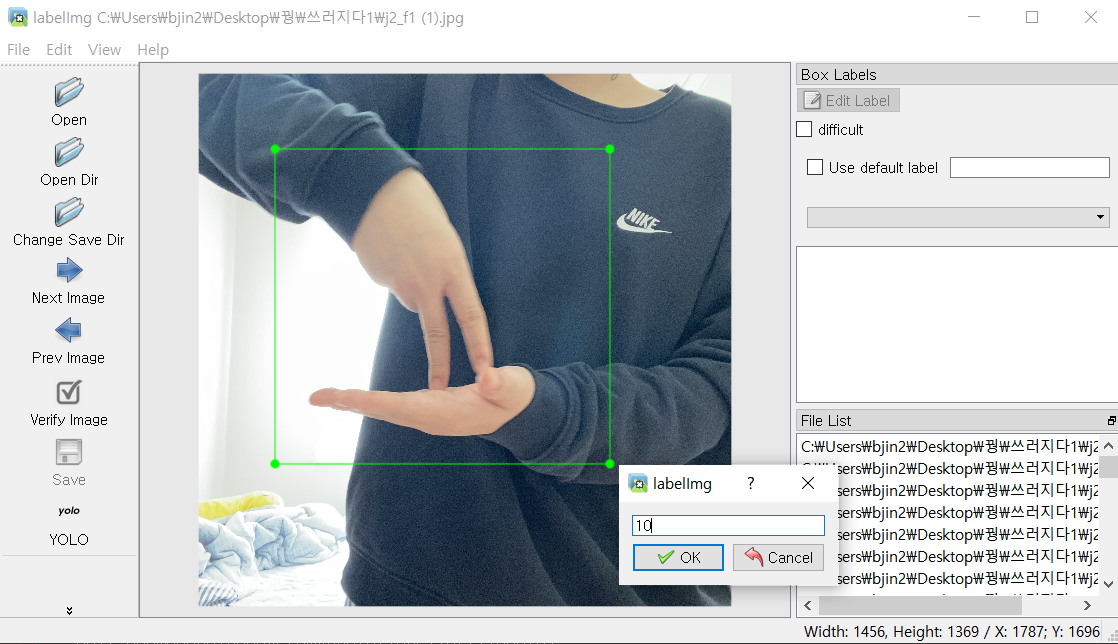
The left side is the training set and the right side is the verification set. After labeling the hand motion in a rectangular shape, we stored coordinate values of the box as text file.
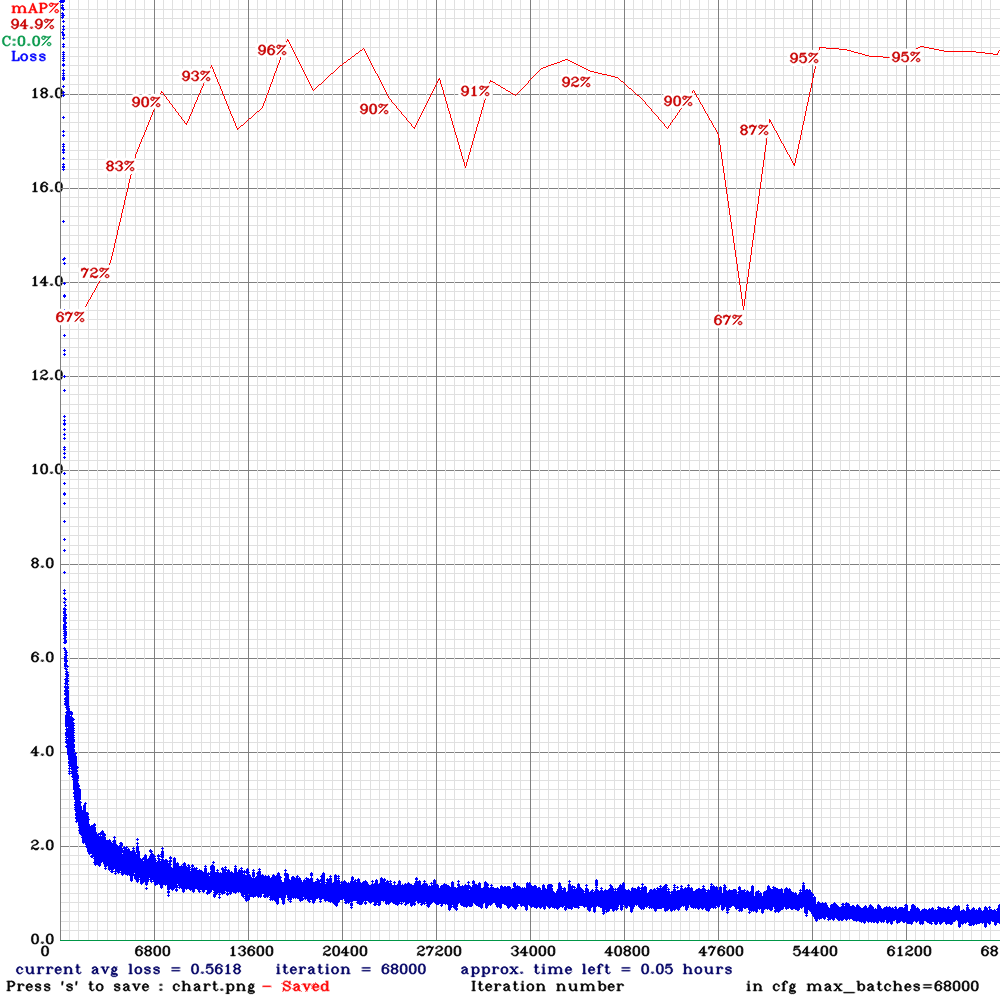
When you training the data using YOLO, accuracy of model is automatically measured using validation sets in-between. Accordingly, the weight file with the best performance is automatically selected.
Also you can train the data by Google Colab not directly using YOLO, but it is not recommended because it is slow.
We recommend to installing YOLO.
Final accuracy for the test set.
A test set was created using other people's hand gestures, and the accuracy was output for each class.
- Custom Data training using YOLOv4
- YOLOv4 installation
- The previous sign language translation program
- Test Accuracy
- Labelling tool [labelImg]