



Website • Documentation • Downloads • GitHub Server • GitHub Desktop & CLI
Sync-in Desktop & CLI provides local synchronization and command-line access for Sync-in servers.
Keep files synchronized across workstations, servers, and automated environments while using the same access rules, authentication flows, and collaboration model as Sync-in Server.
Sync-in Desktop is designed for daily workstation use, while the CLI fits automation, scripts, scheduled tasks, CI/CD pipelines, and headless deployments.
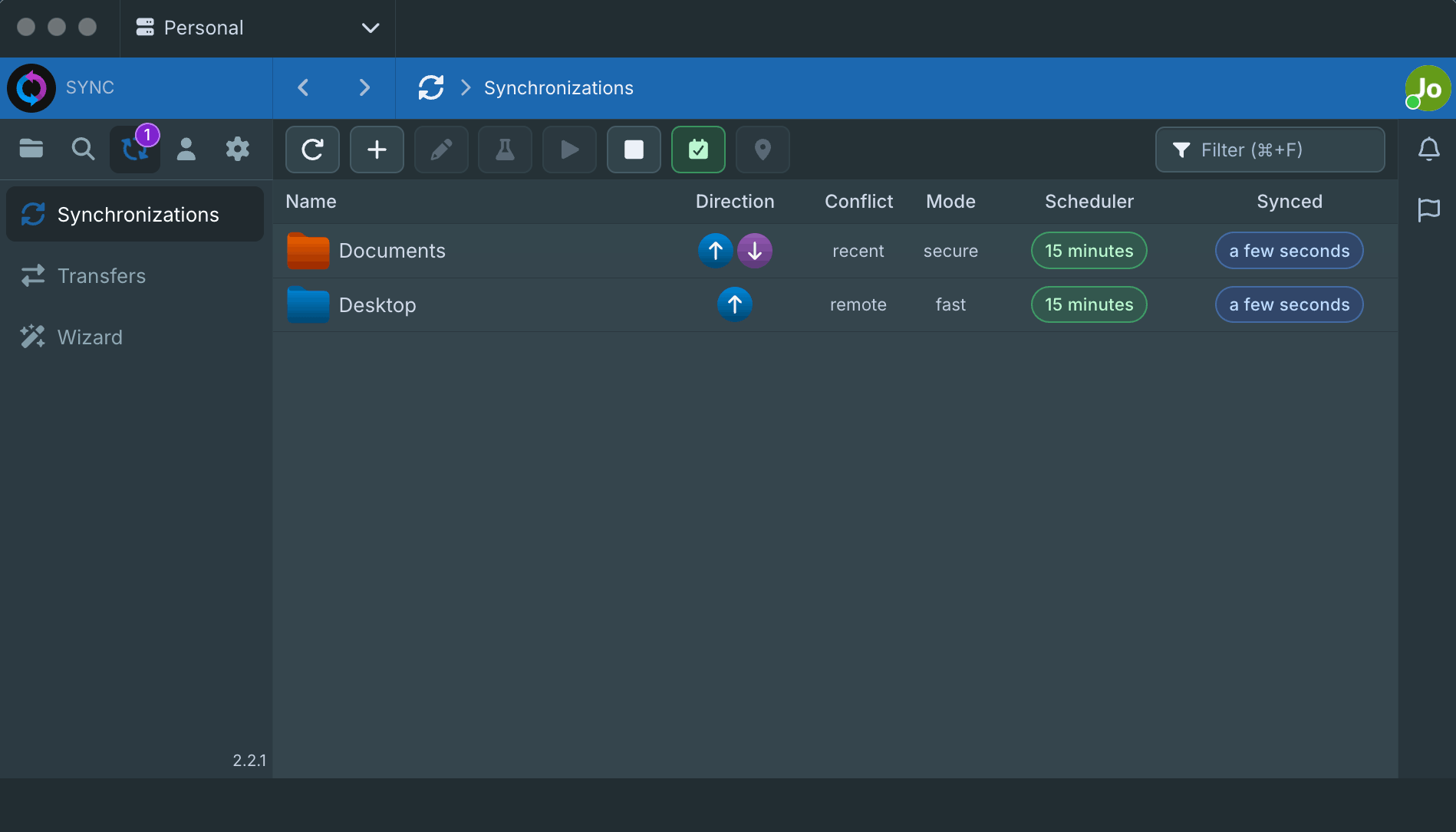
- 💻 Desktop application for Windows, macOS, and Linux
- 🌐 Multi-server support from a single local client
- 🔁 One-way and two-way synchronization workflows
- 🛡️ Secure checksum-based sync mode for stronger integrity checks
- ⚡ Fast metadata-based sync mode for lighter synchronization
- 📆 Scheduled synchronization for recurring tasks
- 🎯 Include and exclude filters for files and folders
- 🧪 Sync preview to simulate operations before applying changes
- 📥 Integrated download and transfer manager
- 👀 Real-time transfer monitoring, logs, and synchronization tracking
- 🤖 Guided configuration wizard for simpler onboarding
- 🔐 Authentication compatible with Sync-in Server identity flows
- 🔄 Automatic background updates
- 📟 CLI support for automation, scripting, cron jobs, CI/CD, and headless environments
Sync-in receives support from organizations that provide infrastructure, distribution, and security services to open source projects.
 |
 |
| Docker-Sponsored Open Source Program | Free code signing on Windows provided by SignPath.io, certificate by SignPath Foundation |
You can help by:
- ⭐ Star the repositories
- 🤝 Contribute through issues, documentation, translations, or pull requests
- 💖 Support the project:
- Use GitHub Issues for bug reports and feature requests.
- Use GitHub Discussions, Discord, or Reddit for questions and community support.
- Report security vulnerabilities privately through GitHub Security Advisories.
- Please read the Code of Conduct and Contributing Guide before contributing.
This project is licensed under the GNU Affero General Public License (AGPL-3.0-or-later).
See LICENSE for the full text.
Sync-in® is a registered trademark, see our Trademark Policy.
