





kanban-tui is a customizable task manager in the terminal.
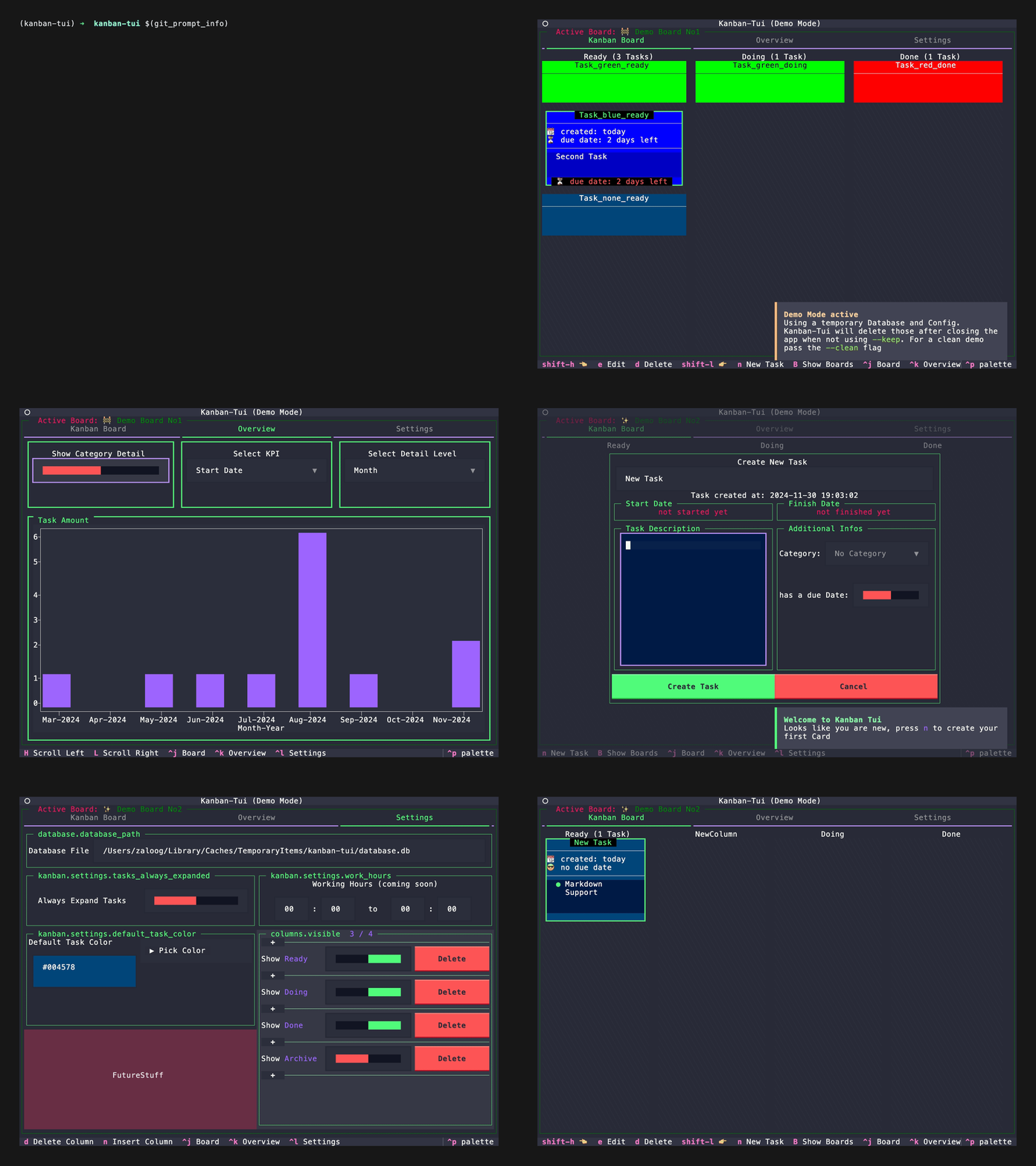
If you want to test kanban-tui you can directly run this demo yourself with the help of uv using uvx with
uvx kanban-tui demoExpand for more detailed information
Following the XDG basedir convention
kanban-tui utilizes xdg-base-dirs user_config_dir to save
the config file and user_data_dir for the sqlite database.
Customizable Board
kanban-tui comes with four default columns
(Ready, Doing, Done, Archive) but can be customized to your needs.
More columns can be created via the Settings-Tab. Also the visibility of columns can be toggled.
Deletion of existing columns is only possible, if no task is present in the column you want to delete.
Multi Board Support
With version v0.4.0 kanban-tui allows the creation of multiple boards.
Use B on the Kanban Board-Tab to get an overview over all Boards including
the amount of columns, tasks and the closest Due Date.
Each Board starts with the default columns, but the columns are individual for each board.
Task Management
When on the Kanban Board-Tab you can create (n), edit (e), delete (d) or move (H, L) tasks between columns.
Database Information
The current database schema looks as follows. The Audit table is filled automatically based on triggers.erDiagram
tasks }|--o| categories: have
tasks }|--|| audits: updates
tasks {
INTEGER task_id PK
INTEGER board_id FK
INTEGER column FK
INTEGER category FK
TEXT title
TEXT description
DATETIME creation_date
DATETIME start_date
DATETIME finish_date
DATETIME due_date
}
boards }|--o{ columns: contains
boards }|--|| audits: updates
boards {
INTEGER board_id PK
INTEGER reset_column FK
INTEGER start_column FK
INTEGER finish_column FK
TEXT name
TEXT icon
DATETIME creation_date
}
columns ||--|{ tasks: contains
columns }|--|| audits: updates
columns {
INTEGER column_id PK
INTEGER board_id FK
TEXT name
BOOLEAN visible
INTEGER position
}
categories {
INTEGER category_id PK
TEXT name
TEXT color
}
audits {
INTEGER event_id PK
DATETIME event_timestamp
TEXT event_type
TEXT object_type
INTEGER object_id
TEXT object_field
TEXT value_old
TEXT value_new
}
Visual Summary
To give you an overview over the amount of tasks you created, started or finished, kanban-tui
provides an Overview-Tab to show you a bar-chart on a monthly, weekly or daily scale.
It also can be changed to a stacked bar chart per category.
This feature is powered by the plotext library with help of textual-plotext.
You can install kanban-tui with one of the following options:
# not recommended
pip install kanban-tui
pipx install kanban-tuiuv tool install kanban-tuiI recommend using pipx or uv to install CLI Tools into an isolated environment.
To be able to use kanban-tui in your browser with the --web-flag, the optional dependency
textual-serve is needed. You can add this to kanban-tui by installing the optional web-dependency
with the installer of your choice, for example with uv:
uv tool install 'kanban-tui[web]'Starts kanban-tui with a starting board. The application can be closed by pressing ctrl+q.
Pass the --web flag and follow the shown link to open kanban-tui in your browser.
ktuiCreates a temporary Config and Database which is populated with example Tasks to play around.
Kanban-Tui will delete the temporary Config and Database after closing the application.
Pass the --clean flag to start with an empty demo app.
Pass the --keep flag to tell kanban-tui not to delete the temporary Database and Config.
Pass the --web flag and follow the shown link to open kanban-tui in your browser.
ktui demoIf you want to start with a fresh database and configuration file, you can use this command to delete your current database and configuration file.
ktui clearkanban-tui follows the XDG basedir-spec and uses the xdg-base-dirs package to get the locations for data and config files.
You can use this command to check where the files are, that kanban-tui creates on your system.
ktui infoFeel free to reach out and share your feedback, or open an Issue, if something doesn't work as expected. Also check the Changelog for new updates.


