NanoVG-REPL is a simple wrapper around NanoVG, a small antialiased
vector graphics rendering library for OpenGL. It makes NanoVG’s API
accessible through a simple text protocol. In other words,
NanoVG-REPL provides a Read-Eval-Print Loop for running NanoVG
commands. You can easily use it from any programming language. Just
make your program send commands to stdout, read responses from
stdin, and listen for asychronous events (e.g. keyboard and mouse
events) on a named pipe.
Communicating with the graphics system over pipes is not as fast as making direct foreign function calls. However, for simple animations, it’s easy to reach more than 200 frames per second on modern hardware this way. For many applications, the benefits of isolating C code into a separate process and using a simple, portable text protocol outweigh the drawbacks. It’s easy to experiment, so it’s a great way to get started on a new idea. The graphics primitives are universal, so if performance becomes an issue, it should be possible to port your program to another, faster system.
NanoVG-REPL includes a wrapper that makes it accessible from Scheme. It has been ported to Chibi Scheme and MIT/GNU Scheme. Porting it to other Schemes — or even other languages — should be straightforward.
While NanoVG itself is known to work on Linux, MacOS, and Windows,
I’ve only tested NanoVG-REPL on Linux and MacOS. At least one
part of the Scheme wrapper, make-fifo, needs porting to work on
Windows.
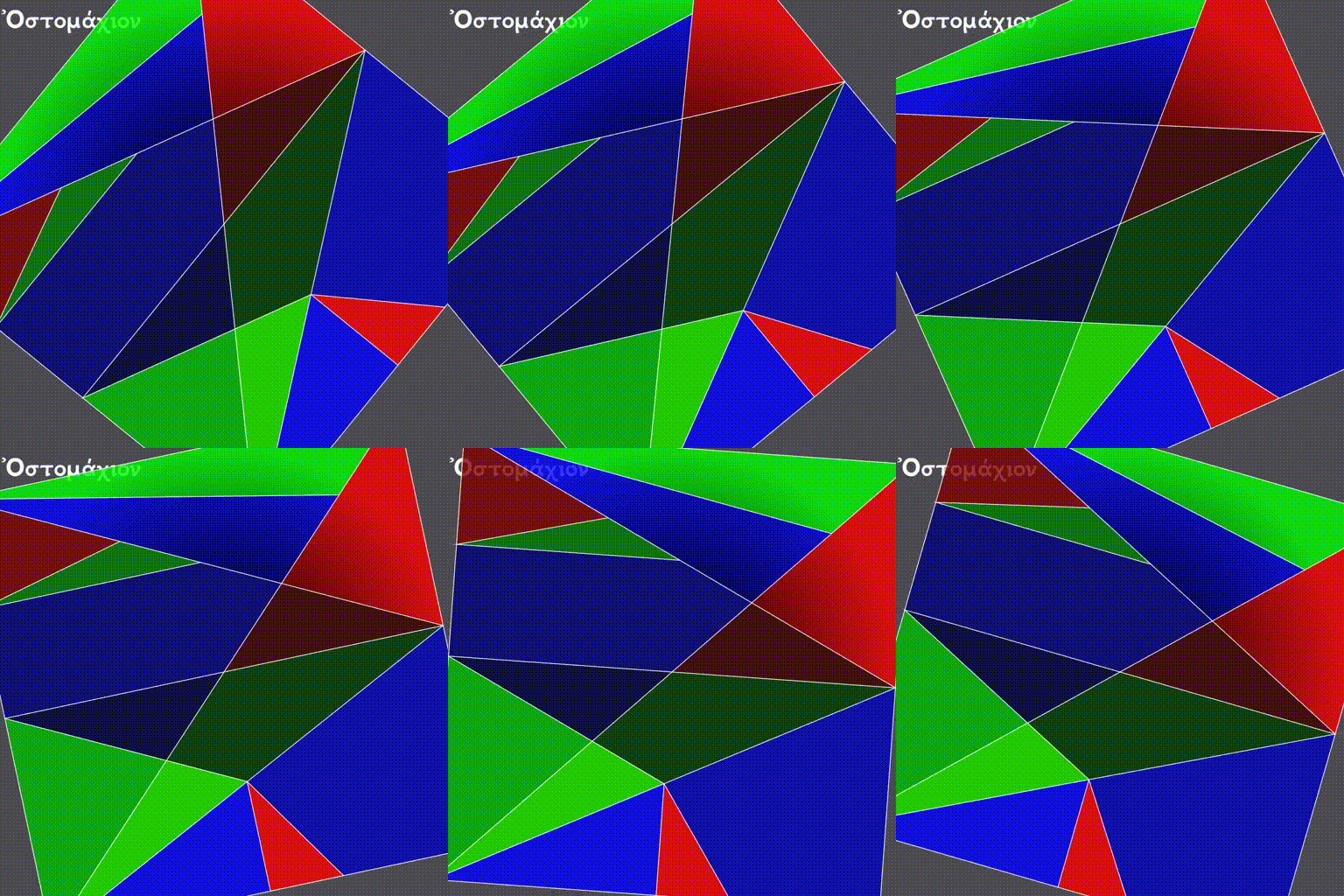

The animation above shows Stomachion, one of the demos in the
examples/ directory.
- NanoVG and NanoVG-REPL must be in peer directories, i.e. in directories that have the same parent directory.
- Premake must be installed.
- All the dependencies NanoVG requires for your platform, e.g. GLFW
and OpenGL, must be installed. For example, on Linux:
sudo apt install libglew-dev sudo apt install libglfw3-dev - Build NanoVG:
cd ~/project/nanovg/
premake5 gmake   # For Linux.  See Premake documentation for other platforms.
cd build/
make nanovg
- Build NanoVG-REPL:
cd ~/project/nanovg-repl/
premake5 gmake   # For Linux.  See Premake documentation for other platforms.
cd build/
make repl
To get an idea of how NanoVG-REPL works, take a look at these
examples, which are written as bash shell scripts in order to prove
that they’re entirely portable even to least-common-denominator
languages:
image.sh, which displays a rotating imagemoire.sh, which displays a flashing Moiré patternstomachion.sh, which displays a rotating Ostomachion puzzle
There are Scheme versions of each of those demos, too:
image.scmmoire.scmstomachion.scm
To run the Stomachion demo under bash:
cd nanovg-repl/examples/ && ./stomachion.shTo run the Image demo under bash:
cd nanovg-repl/examples/ && ./image.shTo run the Moire demo under bash:
cd nanovg-repl/examples/ && ./moire.shTo run the Stomachion demo under Chibi Scheme:
cd nanovg-repl/
chibi-scheme \
  -I src/ \
  -I examples/ \
  -x '(stomachion)' \
  -e '(stomachion ".")'
To run the Image demo under Chibi Scheme:
cd nanovg-repl/
chibi-scheme \
  -I src/ \
  -I examples/ \
  -x '(image)' \
  -e '(image-demo ".")'
To run the Moire demo under Chibi Scheme:
cd nanovg-repl/
chibi-scheme \
  -I src/ \
  -I examples/ \
  -x '(moire)' \
-e '(moire ".")'To run the demos under MIT/GNU Scheme version 11.2 and later, first:
cd nanovg-repl/
scheme
(load-option 'synchronous-subprocess)
(find-scheme-libraries! ".")Then, for the Stomachion demo:
,(import (stomachion))
(stomachion ".")
or for the Image demo:
,(import (image))
(image-demo ".")
or for the Moire demo:
,(import (moire))
(moire ".")The NanoVG-REPL protocol follows NanoVG’s API closely, but not exactly. There are NanoVG commands for most NanoVG functions, but some are omitted. Some commands don’t correspond to any NanoVG function, e.g. commands for turning on and off delivery of keyboard, mouse, and window events.
Before your program begins sending commands to NanoVG-REPL, it must
start the repl program, passing it the desired initial window width
and height, the window title, and the filename of a named pipe that
you have already created. The pipe will be used to deliver
asynchronous events to your program.
replinitial-window-width initial-window-height window-title events-filename
For example:
rm -f /tmp/nanovg-repl-events
mkfifo -m 600 /tmp/nanovg-repl-events
repl 1024 768 "Hello, world." /tmp/nanovg-repl-eventsOnce the NanoVG-REPL subprocess has been started, it displays its
window. The subprocess will accept commands, one per line, on
stdin. Any return values for a command will be printed on a single
line on stdout.
Any asynchronous events, including keyboard or mouse input or notification of window size changes, will be delivered on the named pipe events-filename. (See command line.) The caller should make sure to read that named pipe frequently so that it can act on those events.
The subprocess will continue running until either an error occurs or
the shutdown command is invoked. When either of those happens, the
subprocess will close the window and exit.
Each command takes specific argument types, separated by spaces. Each
type is represented using its standard textual representation from C’s
printf. The types are:
byte(Cunsigned char)Boolean values are represented by
byte.1is true, and0is false.floatFor example:
3.14159265359intFor example:
-123string(Cchar *)Strings are delivered as two values: a byte count, followed by a space, followed by the bytes that make up the string. For example:
13 Hello, world.
When the NanoVG protocol expects a color, it is broken down into the
four RGBA components, each as a separate argument. In most cases,
each is a byte. For example, here’s a translucent green:
0 255 0 127
The float and int types are also used for return values. Some
commands return more than one value, or an array of values. For
example, current-transform returns six floats, which are listed as
float[6] in the documentation, and might appear like this in a
response:
1.000000 0.000000 0.000000 1.000000 0.000000 0.000000
Some NanoVG functions return paint values (NVGpaint). The
corresponding commands register the value in a table, then return an
ID instead. When the caller is finished with a paint value, it must
invoke unregister on the value’s ID. This allows NanoVG-REPL to
reclaim the corresponding memory.
There are other return values that are IDs, e.g. font IDs and image
IDs, but unregister is only used for paint values.
The delete-image command is used to reclaim the memory used by an
image.
Each command below is listed with its arguments and their types. If the command returns any values, they are listed after the “→” arrow. Except where noted, each command does the same thing as the similarly named NanoVG function.
add-fallback-fontstring base-font, string fallback-fontadd-fallback-font-idint base-font, int fallback-fontarcfloat cx, float cy, float r, float a0, float a1, int dirarc-tofloat x1, float y1, float x2, float y2, float radiusbegin-framefloat window-width, float window-height, float device-pixel-ratiobegin-pathbezier-tofloat c1x, float c1y, float c2x, float c2y, float x, float ybox-gradientfloat x, float y, float w, float h, float r, float f, byte icolr, byte icolg, byte icolb, byte icola, byte ocolr, byte ocolg, byte ocolb, byte ocola → int paint-idcirclefloat cx, float cy, float rclearbyte color-buffer-bit, byte depth-buffer-bit, byte stencil-buffer-bitThis command corresponds to
glClear. Each byte is a Boolean value representing whether that bit is turned on.clear-colorfloat r, float g, float b, float aclose-pathclose-windowThis command corresponds to
glfwSetWindowShouldClosewithGL_TRUE.create-fontstring name, string filename → int font-idcreate-font-at-indexstring name, string filename, int index → int font-idcreate-imagestring filename, int image-flags → int image-idcurrent-transform→ float[6] transformdelete-imageint imageellipsefloat cx, float cy, float rx, float ryend-framefillfill-colorbyte r, byte g, byte b, byte afill-paintint paint-idfind-fontstring name → int font-idfont-blurfloat blurfont-facestring fontfont-face-idint fontfont-sizefloat sizeframe-buffer-size→ int fb-width, int fb-heightThis command corresponds to
glfwGetFramebufferSize.global-alphafloat alphaimage-patternfloat cx, float cy, float w, float h, float angle, int image, float alpha → int paint-idimage-sizeint image → int w, int hintersect-scissorfloat x, float y, float w, float hkey-input-eventsbyte onThis command turns delivery of key input events on or off. It corresponds to
glfwSetKeyCallback.linear-gradientfloat sx, float sy, float ex, float ey, byte icolr, byte icolg, byte icolb, byte icola, byte ocolr, byte ocolg, byte ocolb, byte ocola → int paint-idline-capint capline-joinint joinline-tofloat x, float ymiter-limitfloat limitmouse-button-eventsbyte onThis command turns delivery of mouse button events on or off. It corresponds to
glfwSetMouseButtonCallback.mouse-position-eventsbyte onThis command turns delivery of mouse position events on or off. It corresponds to
glfwSetCursorPosCallback.move-tofloat x, float ypath-windingint dirpingstring stringpoll-eventsThis command corresponds to
glfwPollEvents.quad-tofloat cx, float cy, float x, float yradial-gradientfloat cx, float cy, float inr, float outr, byte icolr, byte icolg, byte icolb, byte icola, byte ocolr, byte ocolg, byte ocolb, byte ocola → int paint-idrectfloat x, float y, float w, float hresetreset-fallback-fontsstring base-fontreset-fallback-fonts-idint base-fontreset-scissorreset-transformrestorerotatefloat anglerounded-rectfloat x, float y, float w, float h, float rrounded-rect-varyingfloat x, float y, float w, float h, float rad-top-left, float rad-top-right, float rad-bottom-right, float rad-bottom-leftsavescalefloat x, float yscissorfloat x, float y, float w, float hshape-anti-aliasint enabledshutdownThis command closes the NanoVG-REPL window and exits its process.
skew-xfloat angleskew-yfloat anglestrokestroke-colorbyte r, byte g, byte b, byte astroke-paintint paint-idstroke-widthfloat widthswap-buffersThis command correpsonds to
glfwSwapBuffers.textfloat x, float y, string string → float resulttext-alignint aligntext-boundsfloat x, float y, string string → float result, float[4] boundstext-boxfloat x, float y, float break-row-width, string stringtext-box-boundsfloat x, float y, float break-row-width, string string → float[4] boundstext-input-eventsbyte onThis command turns delivery of text input events on or off. It corresponds to
glfwSetCharCallback.text-letter-spacingfloat spacingtext-line-heightfloat line-heighttext-metrics→ float ascender, float descender, float linehtransformfloat a, float b, float c, float d, float e, float ftranslatefloat x, float yunregisterint idThis command is used to free memory associated with paint objects returned by other commands.
viewportint x, int y, int w, int hThis corresponds to
glViewport.window-size→ int window-width, int win-heightThis command corresponds to
glfwGetWindowSize.window-should-close?This command corresponds to
glfwWindowShouldClose.window-size-change-eventsbyte onThis command corresponds to
glfwSetWindowSizeCallback.
Asynchronous events are delivered on the named pipe events-filename. Events are encoded like commands, with spaces separating their arguments.
key-inputint key, int code, int modsThis event corresponds to the callback set by
glfwSetKeyCallback. Only key presses, not releases, are delivered.mouse-buttonint button, int action, int modsThis event corresponds to the callback set by
glfwSetMouseButtonCallback.mouse-positionfloat xpos, float yposThis event corresponds to the callback set by
glfwSetCursorPosCallback.text-inputint code-pointThis event corresponds to the callback set by
glfwSetCharCallback.window-size-changedint width, int heightThis event corresponds to the callback set by
glfwSetWindowSizeCallback.
The Scheme API for NanoVG-REPL corresponds closely to the protocol described above. There is a procedure corresponding to each command listed above.
The argument types and return types of the procedures are the same as
those of the corresponding commands except that the following
procedures take a Scheme Boolean value instead of a 1 or 0:
key-input-eventsmouse-button-eventsmouse-position-eventstext-input-eventswindow-size-change-events
and the window-should-close? procedure returns a Boolean.
To create a window using the Scheme API, call make-nanovg-window.
It takes the pathname of the repl program, an initial width and
height, and a window title:
(
make-nanovg-windowrepl-pathname initial-window-width initial-window-height window-title)
For example:
(make-nanovg-window "nanovg-repl/build/repl" 800 800 "Example Window Title")Most procedures in the Scheme API take an implicit parameter, the
current window. This is set in a dynamic scope using Scheme’s
standard parameterize syntax. For example:
(parameterize ((current-nanovg-window (make-nanovg-window ...)))
do-something)In order for programs to handle events, they must check for them at least periodically. This can be done in a separate thread, or it can be done by checking frequently in the same thread in which drawing occurs.
To read an event, call read-nanovg-event. It returns two values:
the event name and a list of the event’s arguments. If there is no
event ready, it returns #f for both.
For convenience, dispatch-event can be used instead. It provides a
simple way to declare what should be done if no event is ready, what
should be done for each possible event type, and what should be done
in every other case.
(dispatch-event [(no-events action ...)]
                ((event-name) action ...) ...
                [(else action ...)])
For example:
(dispatch-event (no-events #f)
                ((mouse-button button action mods) '(click))
                ((mouse-position xpos ypos) `(position ,xpos ,ypos))
(else (error "Unexpected event.")))When make-nanovg-window is called to create a window, it creates a
named pipe as well. Once the current NanoVG-REPL window has been
closed using shutdown, it’s good to delete that named pipe. There
are two ways to do that: manual and automatic. To delete it manually,
call delete-nanovg-fifo. To delete it automatically, wrap all the
code using the window in nanovg-cleanup:
(parameterize ((current-nanovg-window
                (make-nanovg-window repl-pathname
                                    width
                                    height
                                    "Example Window Title")))
  (nanovg-cleanup
   (lambda ()
     ;; ... Use the window.
     )))
When nanovg-cleanup returns, even due to an error, it will delete
the named pipe.