



High-performance AI vision camera system based on STM32N6570 Discovery Kit, featuring real-time video processing, neural network acceleration, and modern web interface.
- 🎥 Real-time Video Processing - Multiple camera sensor support (OS04C10, IMX335)
- 🧠 AI Accelerated Inference - NPU hardware acceleration, YOLOv8/YOLOX
- 🌐 Modern Web Interface - Preact + TypeScript, real-time preview and configuration
- 📡 Multi-network Support - Ethernet, WiFi, Cat1, BLE connectivity
- 🔒 Secure Boot - TrustZone secure partitioning, firmware signature verification
- 🔄 OTA Updates - Secure over-the-air firmware and model upgrade
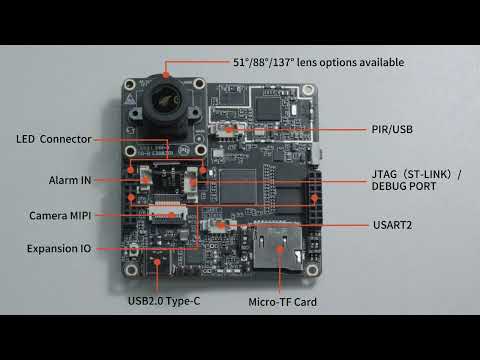
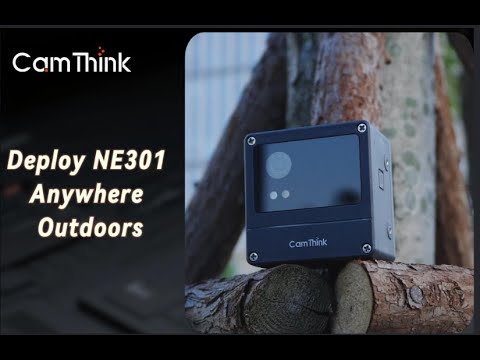
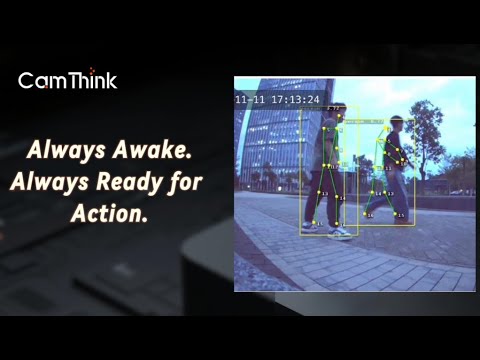
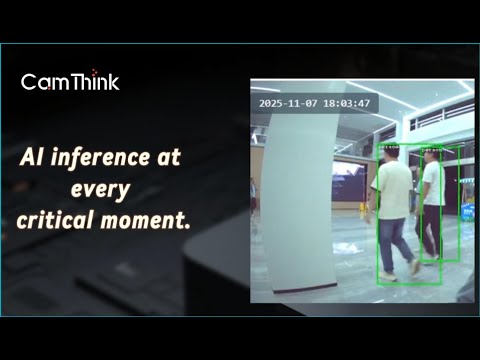
Low Power, Performance, and Edge AI
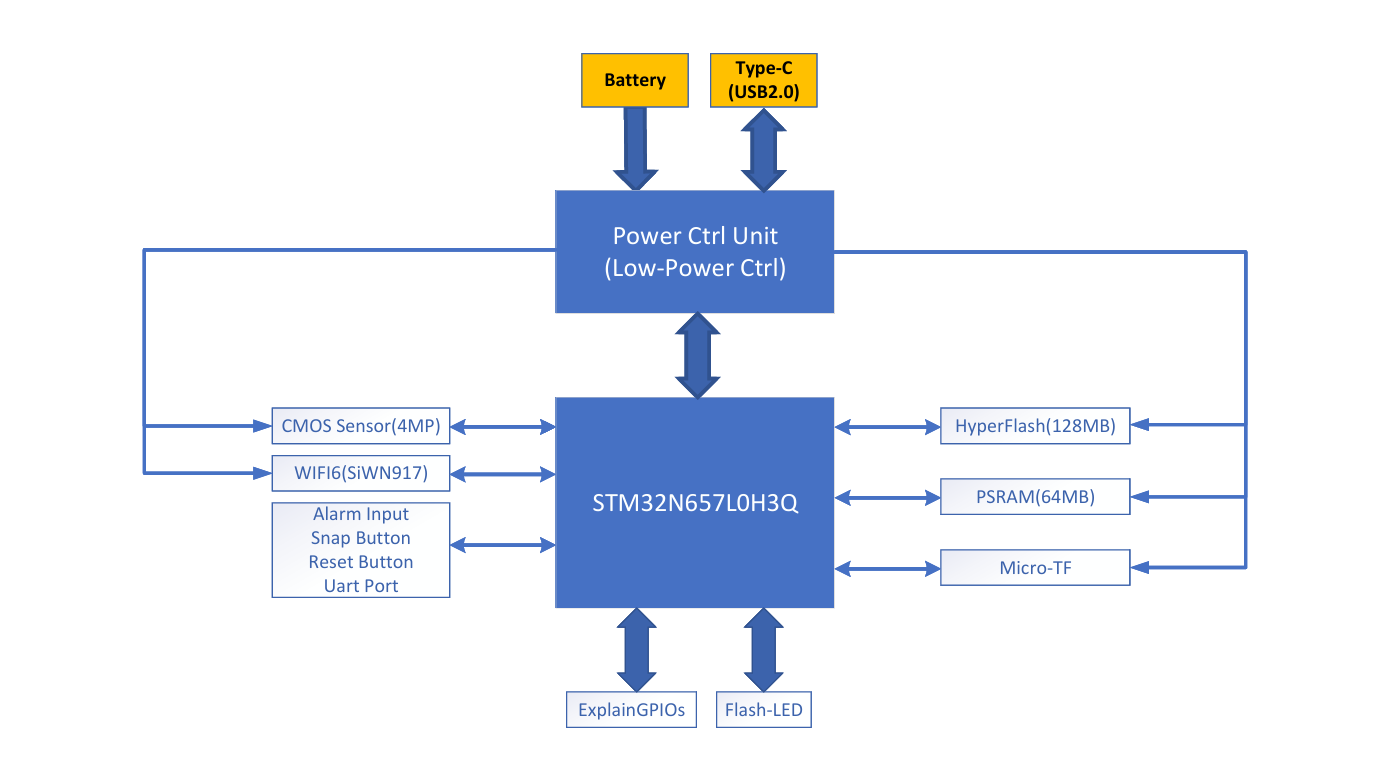
- STM32N6 (Main MCU): Cortex-M55, handles video processing, AI inference, and network communication
- STM32U0 (WakeCore): Power control unit, manages low-power operation and wake-up
- Web Frontend: Preact + TypeScript, provides real-time preview and configuration interface
- AI Models: YOLOv8/YOLOX, supports object detection and pose estimation
┌─────────────────────────────────────┐
│   Web Service (HTTP/WebSocket)      │  ← User Interface Layer
├─────────────────────────────────────┤
│   Service Layer                     │  ← Service Layer
│   ├─ AI Service                     │
│   ├─ System Service                 │
│   ├─ Communication Service          │
│   ├─ Web Service                    │
│   ├─ MQTT Service                   │
│   └─ OTA Service                    │
├─────────────────────────────────────┤
│   Core Layer                        │  ← Core Layer
│   ├─ Framework                      │
│   ├─ Video Pipeline                 │
│   ├─ Configuration Manager          │
│   └─ Event Bus                      │
├─────────────────────────────────────┤
│   HAL Layer                         │  ← Hardware Abstraction Layer
│   ├─ Camera Driver                  │
│   ├─ Network Driver                 │
│   ├─ NN Driver                      │
│   └─ Storage Driver                 │
└─────────────────────────────────────┘
ne301/
├── Appli/                  # Stm32n6 Main application
├── FSBL/                   # Stm32n6 First stage bootloader
├── WakeCore/               # Power Ctrl Unit
├── Web/                    # Web frontend
├── Model/                  # AI models
├── Script/                 # Build and packaging scripts
└── Makefile                # Root build orchestration
Go to WIKI
Prerequisites: Docker 20.10+ Disk Space > 10GB+
# 1. Build (Or pull)Docker image
docker build -t ne301-dev:latest .
# or pull (faster)
docker pull camthink/ne301-dev:latest
# 2. Run container
docker run -it --rm --privileged \
  -v $(pwd):/workspace \
  -v /dev/bus/usb:/dev/bus/usb \
  camthink/ne301-dev:latest
# 3. Inside container
make # Build allPrerequisites:
- ARM GCC 13.3+
- GNU Make 3.81+
- Python 3.8+
- Node.js 20+
- pnpm 9+
- STM32CubeProgrammer(v2.19.0)
- STM32_SigningTool_CLI(v2.19.0)
- stedgeai(v2.2,stedgeai0202.stneuralart)
# 1. Check environment
./check_env.sh
# 2. Install as prompted
./setup.sh                  # Linux/macOS
setup.bat                   # Windows
# 3. Verify
./check_env.sh
See SETUP.md for detailed installation instructions.
Prerequisites:
- NE301 Board * 1
- ST-Link V2 * 1
- 4P 1.25mm pitch male to 2.54mm dupont female adapter (Used for flash N6 chips)
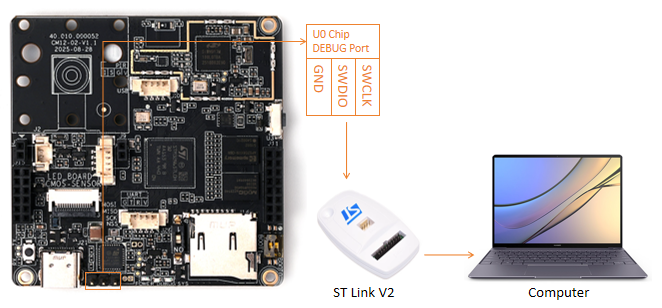
- 3P 2.54mm pitch dual female header dupont wires (Used for flash U0 chips)
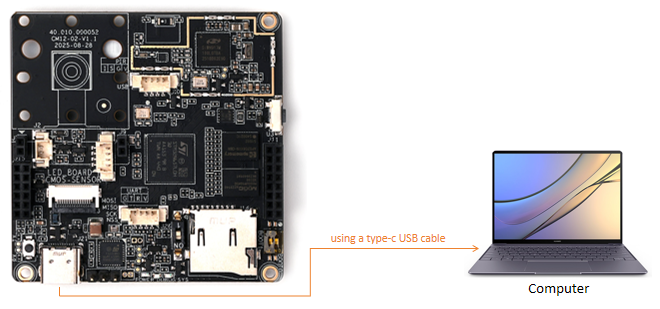
- Type C USB cable compatible with the computer's USB port (for e.g., type C to type A if the computer has a type A USB port)
The mainboard contains two MCUs: stm32n6 and stm32u0
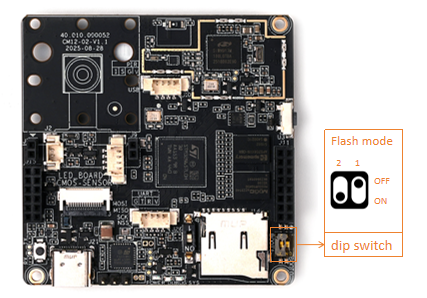
- Turn on the dip switch 2 on the board to enter the flash mode.(After the flash is completed, please turn it off and power it back on or reset it to enter the running mode)
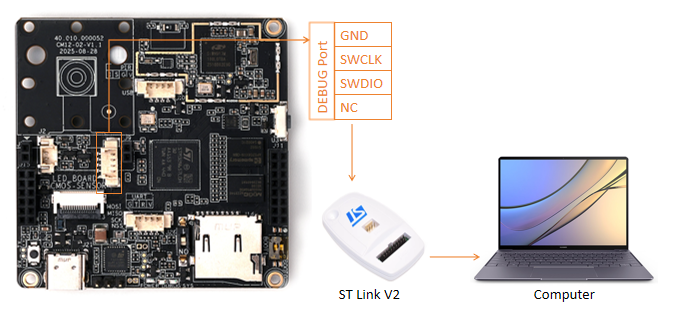
- Connect ST Link to the DEBUG port on the board using a 4P adapter cable and connect ST Link to the computer.
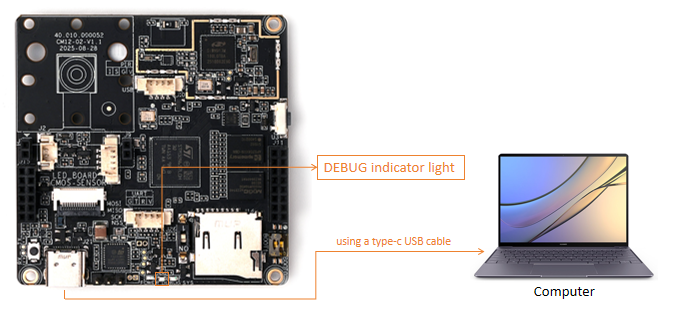
- Connect the board to a computer or adapter using a type-c USB cable, and the onboard DEBUG indicator light will remain on, indicating that it has entered the flash mode.
- Connect ST-LINK to STM32U0 chip using 3P DuPont wire and connect ST-LINK to computer.
- Connect the board to a computer or adapter using a type-c USB cable.
# Build
make                        # Build all (FSBL + App + Web + Model)
make app                    # Build application only
make web                    # Build web frontend
make model                  # Build AI model
make pkg                    # package for flash or OTA
make info # help- Firmwares List
  ne301_FSBL_signed.bin       --> use for stm32n6 FSBL        --> flash addr 0x70000000
  ne301_App_signed_pkg.bin    --> use for stm32n6 App         --> flash addr 0x70100000
  ne301_Web_pkg.bin           --> use for web gui             --> flash addr 0x70400000
  ne301_Model_pkg.bin         --> use for AI model            --> flash addr 0x70900000
ne301_WakeCore.bin --> use for stm32u0 wakecore --> flash addr 0x08000000 - Flash tools supported
- STM32CubeProgrammer
- Script/maker.sh
Script/maker.sh flash <bin-name> <flash-addr>- make
  # Flash all components
  make flash
  # Flash specific component
  make flash-fsbl
  make flash-app
  make flash-web
  make flash-model
make flash-wakecoreThis software is released under a Dual-License model.
- Community Edition License
- Commercial Edition License
Please see the full terms in LICENSE
Development Team: CamThink AI Camera Team
Contact: [email protected]
Last Updated: 2025-10-21