A desktop application that helps you track and visualize your DEGIRO investment portfolio with beautiful charts and performance metrics.
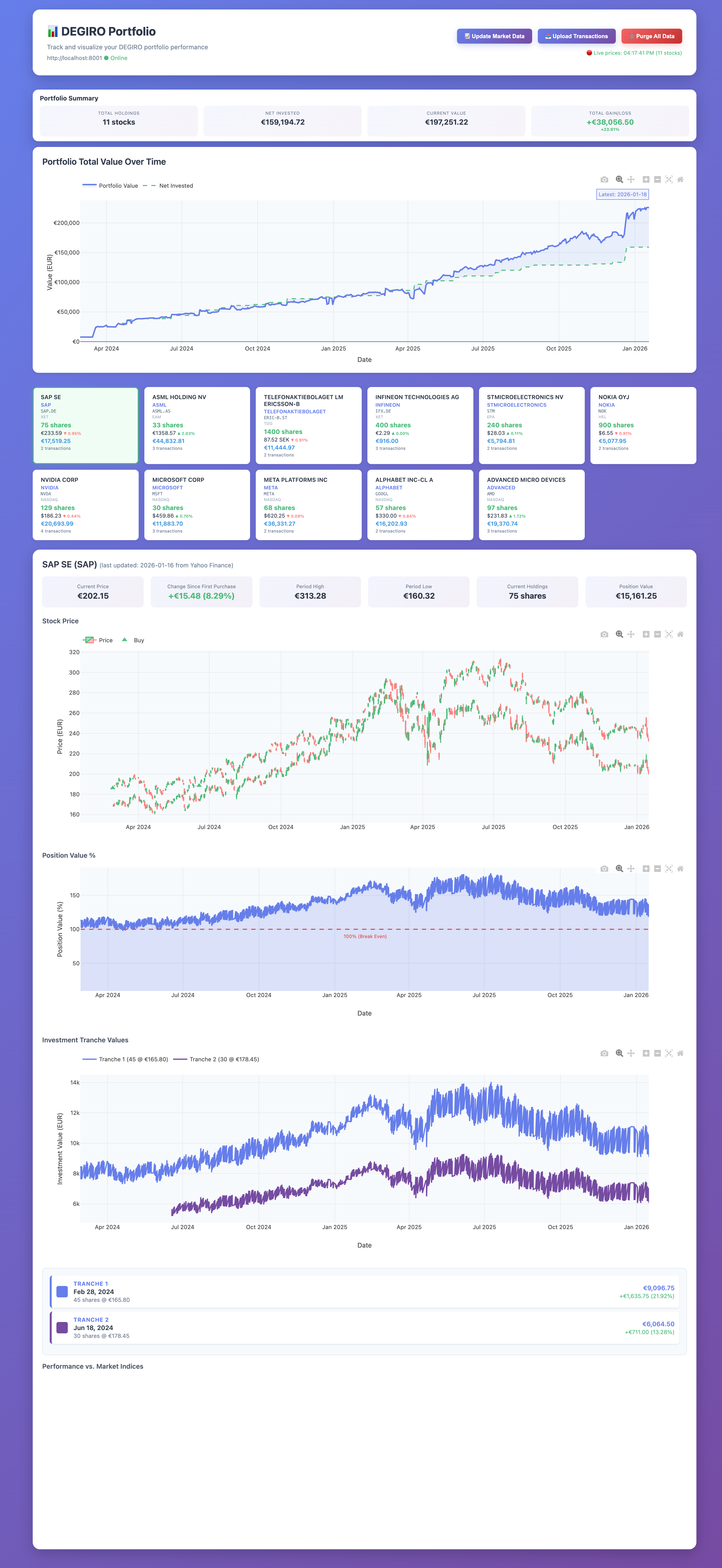 Your portfolio at a glance with live prices and performance charts
This application takes your DEGIRO transaction exports (the Excel files you download from DEGIRO) and creates an interactive dashboard where you can:
- See all your stocks in one place - View your current holdings with live prices
- Track your gains and losses - See how much money you've made or lost on each stock
- View beautiful charts - Interactive price charts showing your buy/sell transactions
- Compare against market indices - See how your stocks perform vs S&P 500 and Euro Stoxx 50
- Monitor multiple currencies - Automatic conversion to EUR for stocks in USD, SEK, GBP
- Upload new transactions easily - Just click and upload your Excel file
All data is stored securely on your own computer - nothing is sent to external servers.
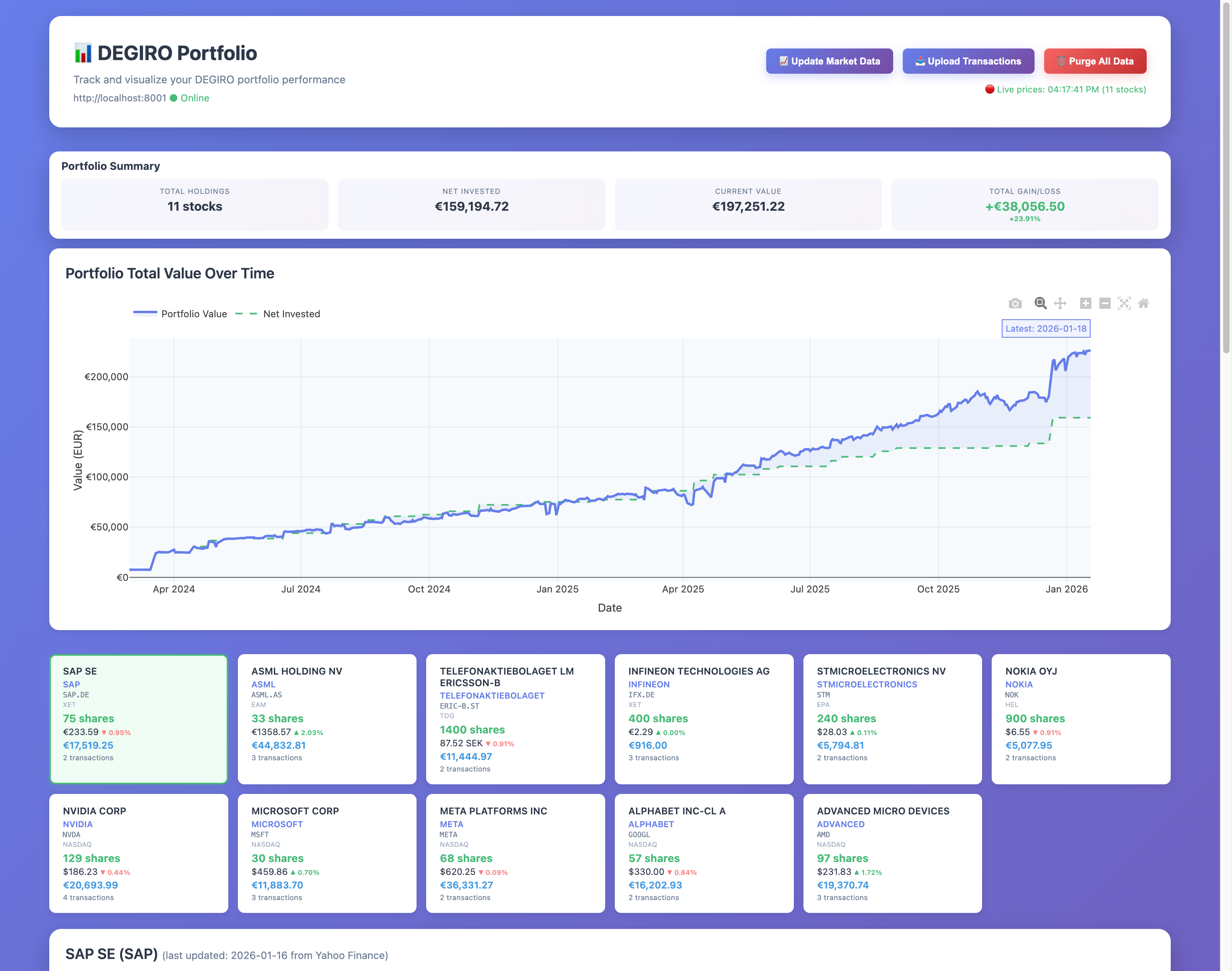 Main dashboard showing portfolio summary, action buttons, and stock holdings
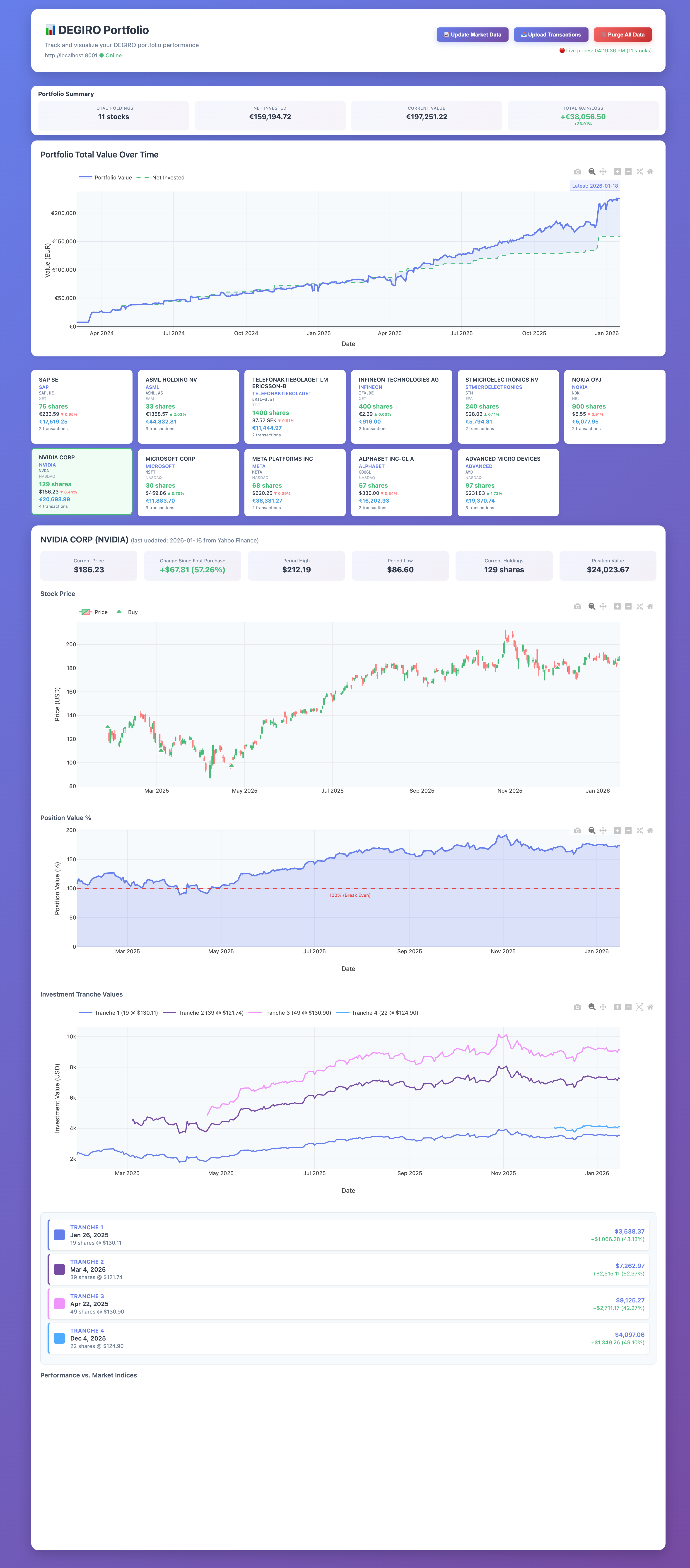 Detailed charts showing NVIDIA price history, buy transactions, position value %, and market comparison
You need Python 3.11 or newer. Download Python here if you don't have it.
To check if you have Python, open Terminal (Mac/Linux) or Command Prompt (Windows) and type:
python --versionOpen Terminal (Mac/Linux) or Command Prompt (Windows) and run:
pip install degiro_portfolioThat's it! The application is now installed.
Run this command:
degiro_portfolio startOn Windows, if that doesn't work, try:
python -m degiro_portfolio startYou should see a message like "Server started on port 8000".
Open your web browser and go to:
http://localhost:8000
You should now see your portfolio dashboard!
-
Export from DEGIRO:
- Log in to your DEGIRO account
- Go to Activity → Transactions
- Export your transactions as an Excel file
-
Upload to the Application:
- Click the 📤 Upload Transactions button
- Select your DEGIRO Excel file
- Wait for the upload to complete
The app will automatically download prices and display your portfolio!
Click the 📈 Update Market Data button to refresh all stock prices.
degiro_portfolio start    # Start the server
degiro_portfolio stop     # Stop the server
degiro_portfolio restart  # Restart the server
degiro_portfolio status   # Check if it's running
On Windows, replace degiro_portfolio with python -m degiro_portfolio in the commands above.
To start fresh:
- Click the red 🗑️ Purge All Data button
- Confirm the deletion
Warning: This permanently deletes all your data.
Shows your total investment value and whether you're up or down overall.
Each stock shows:
- Company name - Click to search for investor relations info
- Number of shares - How many shares you own
- Current price - Latest price with today's change (▲ up, ▼ down)
- Position value - Total value in EUR
- Ticker symbol - Click to view on Google Finance
Click any stock card to see:
- Price Chart - Historical prices with your buy/sell transactions marked
- Position Value % - Shows if you're profitable (above 100% = profit)
- Investment Tranches - Performance of each individual purchase
- Market Comparison - How your stock compares to S&P 500 and Euro Stoxx 50
- Import DEGIRO transaction exports (Excel files)
- Upload new transactions via web interface
- Automatic historical price downloads
- Live exchange rate conversion (EUR, USD, SEK, GBP)
- Interactive candlestick charts with transaction markers
- Portfolio performance tracking
- Market index comparison (S&P 500, Euro Stoxx 50)
- Multi-currency support with automatic conversion
- One-click market data updates
All your financial data stays on your computer:
- ✅ Data stored locally in
degiro_portfolio.db - ✅ Only connects to internet for stock prices
- ❌ Does NOT send your transaction data anywhere
- ❌ Does NOT require creating an account
- Make sure port 8000 isn't already in use
- Check if it's running:
degiro_portfolio status - Try restarting:
degiro_portfolio restart
- Click the "Update Market Data" button
- Check your internet connection
- Make sure you're uploading a DEGIRO transaction export (Excel format)
- Verify the file isn't corrupted
- The server isn't running - start it with:
degiro_portfolio start
If you encounter issues:
- Check the Troubleshooting section above
- Visit the GitHub Issues page
See LICENSE file for details.