
A Chrome/Kiwi/Orion Browser extension that auto-navigates any Instagram ecom brand profile and exports a single, self-contained HTML catalog with all images, reels, captions, prices, and post dates. Useful for cataloging products from any clothing, jewellery, or lifestyle brand on Instagram.
- How It Works
- Features
- Files
- Quick Start
- Installation
- Usage
- Updating
- How Video Capture Works
- Safety Recommendation
- Notes

Quickest install: Download the ZIP directly from the Latest Release — no Termux/Terminal or git required.
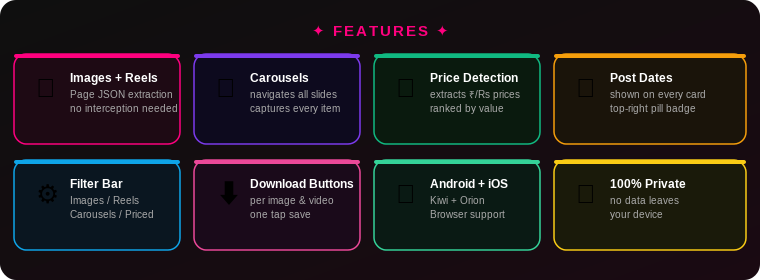
- Auto-scrapes all gathered post links one by one without manual interaction
- Images + Reels — captures both; uses Instagram's embedded page JSON for reliable video URL extraction (no network interception required)
- Carousel posts — navigates all slides and captures every image/video
- Price detection — automatically extracts ₹/Rs prices from captions and ranks them
- Post date — shown as a pill in the top-right of each caption box
- Draggable UI — the scraper panel can be repositioned on screen
- Filter bar — filter by Images / Reels / Carousels / Price Found
- Download buttons — per-media download for every image and video
- Unique filenames — exported HTML named with full date + time (
InstaPageScrape_Catalog_YYYY-MM-DD_HHMMSS.html) - Works on Kiwi Browser (Android), Orion Browser (iOS), and any Chromium browser with extension support
| File | Purpose |
|---|---|
manifest.json |
Extension manifest (MV3) |
background.js |
Service worker — secondary video capture via webRequest |
content.js |
Main logic — UI injection, scraping, HTML export |
setup.sh |
One-shot script — writes all files, zips, saves to Downloads |
gh repo clone InstaPageScrape-Ecommerce
cd InstaPageScrape-Ecommerce
bash setup.sh📱 Android — Kiwi Browser (or any browser with extension support)
Option A — Download release ZIP (easiest, no Termux needed):
-
- Download
instapagescrape.zipfrom the Latest Release
- Download
-
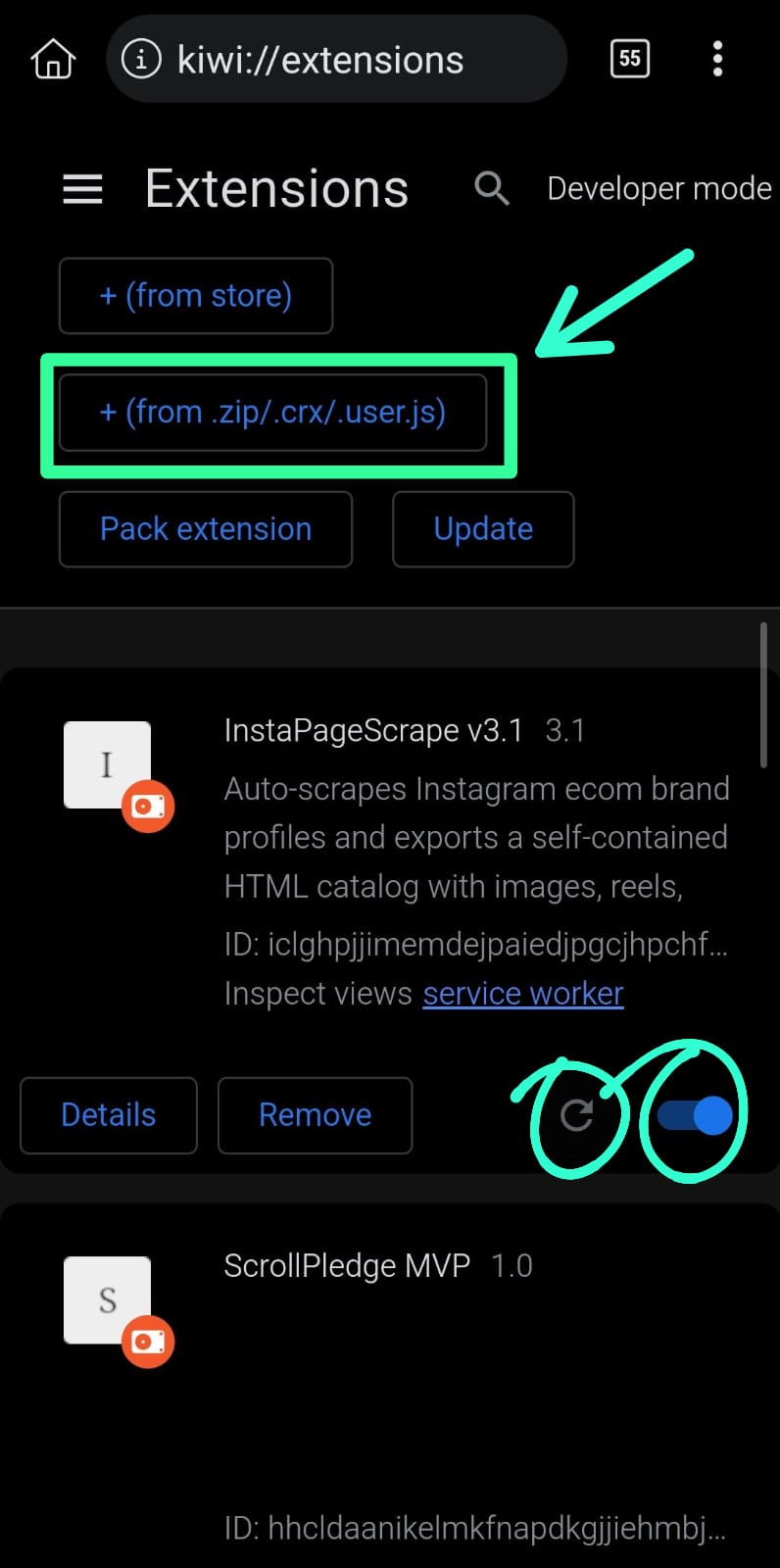
- Open Kiwi Browser → ⋮ → Extensions → + (from zip/.crx/.user.js) → select the ZIP
📸 Visual guide:
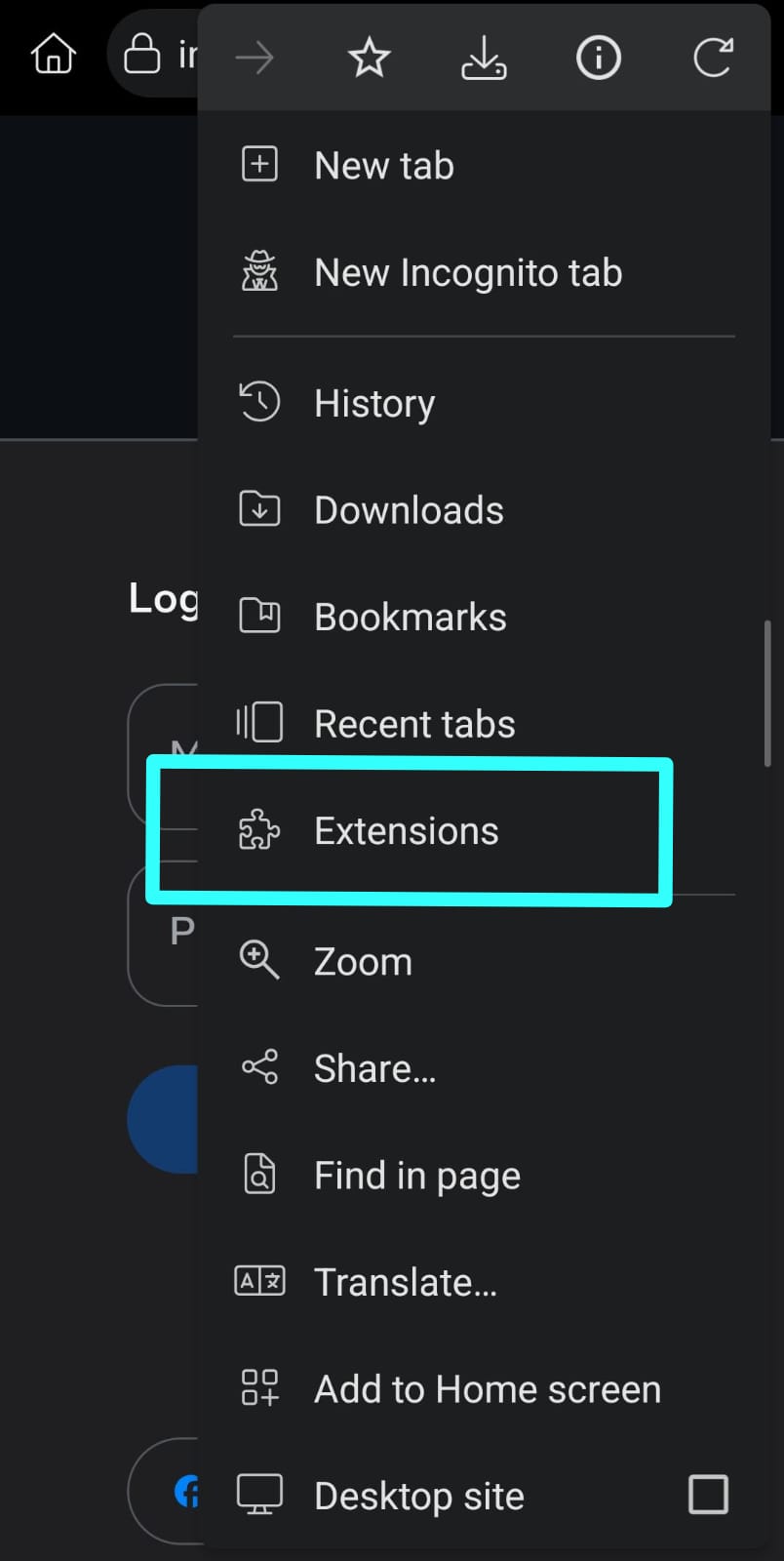
- Step 1: Tap ⋮ menu → Extensions |
- Step 2: Tap + (from .zip/.crx/.user.js) → select ZIP → tap 🔄 reload
- Step 3: Navigate to any Instagram brand profile and the InstaPageScrape panel will appear
(
⚠️ keep refreshing the Insta profile page, until the extension panel popup shows up)
Option B — via Termux + git:
gh repo clone InstaPageScrape-Ecommerce
cd InstaPageScrape-Ecommerce
bash setup.sh
Then open Kiwi Browser → Menu → Extensions → ⋮ → Load unpacked extension / '+ (from zip/.crx/.user.js)' → select the ZIP from Downloads
🍎 iOS — Orion Browser (or any browser with extension support)
iOS Safari does not support extensions, but Orion Browser by Kagi supports Chrome extensions natively on iOS with no sideloading required.
- Install Orion Browser from the App Store (free)
- Get the ZIP onto your iPhone — easiest options:
- Download directly: grab
instapagescrape.zipfrom the Latest Release in Safari, then open with Orion - AirDrop it from a Mac where you ran
bash setup.sh - Upload to iCloud Drive / Google Drive from another device and open on iPhone
- Use a-Shell (free terminal app for iOS) — run
bash setup.shafter cloning withgh
- Download directly: grab
- In Orion → Settings → Extensions → tap "+" → Load unpacked extension or look for options to select/import the extension as a ZIP file e.g. "+ (from zip/.crx/.user.js)" → select the ZIP
- Navigate to any Instagram brand profile and the InstaPageScrape panel will appear
(
⚠️ keep refreshing the Insta profile page, until the extension panel popup shows up)
Note: Safari extensions via the App Store cannot run Chrome extension APIs so they will not work. Orion is currently the only iOS browser with full Chrome extension support.
🖥️ Desktop — Chrome / Edge
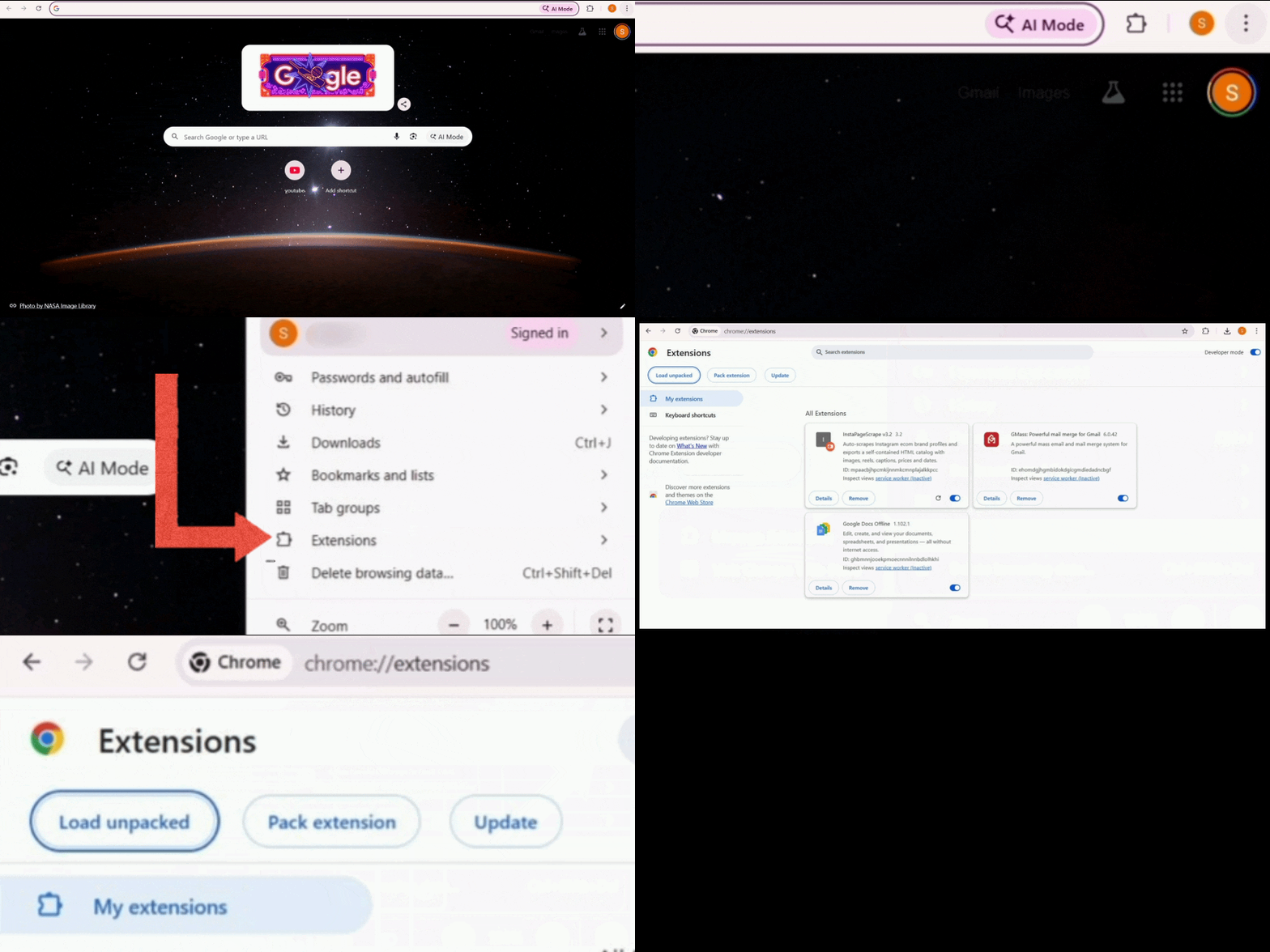
- Run
bash setup.shor download the latest extension ZIP directly from here Latest Release - Open
chrome://extensions→ Enable Developer Mode - Click Load unpacked → select the extension ZIP File

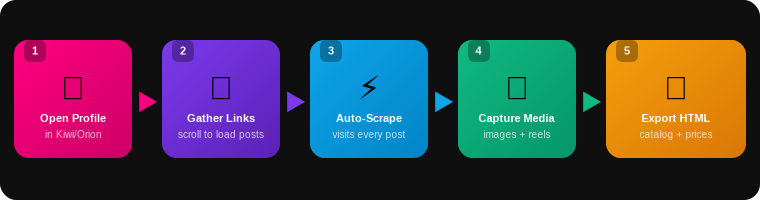
- Open any Instagram brand/ecom profile page in Kiwi or Orion Browser
- Tap "1. Scroll & Gather Links" — The extension auto-scrolls down the page to load posts, tap again to stop
- Tap "2. Start Auto-Scrape" — the extension navigates each post automatically
- When done, the HTML catalog downloads automatically
- Open the HTML file in any browser to browse, filter, and download media
To stop early and export what has been scraped so far, tap "Stop & Export HTML".
Via release (easiest):
- Download the new ZIP from Releases
- In Kiwi / Orion → Extensions → Remove the old extension → Load unpacked / '+ (from zip/.crx/.user.js)' → select the new updated version's ZIP
Via git:
cd InstaPageScrape-Ecommerce
git pull
bash setup.sh
Then reload the extension in Kiwi Browser → Extensions → Reload.
Instagram serves reel videos as blob: URLs in the DOM, making direct src extraction unreliable. This extension uses three cascading methods:
- Page JSON extraction — parses Instagram's embedded
<script>JSON for"video_url"fields (primary, most reliable) - DOM polling — forces video playback and polls
video.currentSrcfor up to 8 seconds - Poster fallback — saves the video thumbnail so posts are never blank
For reels, only the single highest-quality URL is kept. For carousel posts, all distinct video URLs are kept.
⚠️ To reduce the risk of your Instagram account being flagged for suspicious or automated behavior:
- Use a throwaway Instagram account when scraping
- Or scrape while not logged in (works on public profiles)
- Scrape in small batches — avoid scraping hundreds of posts in one session
This warning is also shown the first time you install the extension.
- Works with any public/private Instagram ecom/brand profile
- Instagram CDN URLs expire — download media soon after scraping
- No data leaves your device; everything is processed locally
- Tested on Kiwi Browser (Android) , Chrome Browser (Desktop)