🚧 Work in Progress
This extension is currently under active development. We're working hard to bring you a polished experience, but things may change and some features might be incomplete. We welcome contributions, feedback, and bug reports from the community!
Want to help? Check out our Contributing section below.
With Bruno VS Code extension, you can develop and test your APIs in Bruno right from Visual Studio Code. You can use the VS Code extension to open bruno files, send API requests, manage collections and environments, and much more. Streamline your development workflow by testing your APIs in the same application you use to develop them.
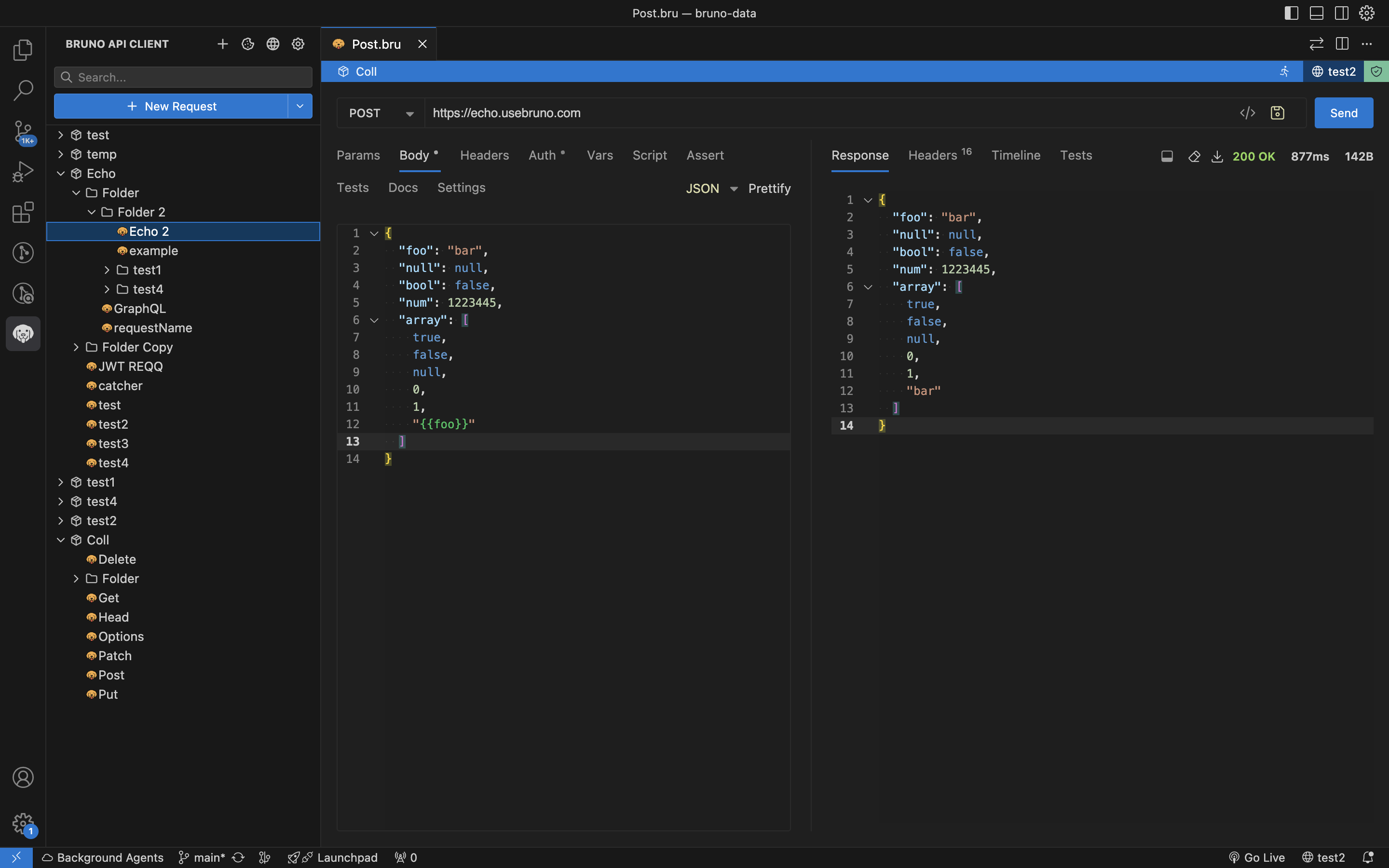
Bruno has a few standout features that make it unique:
- Git-friendly: Bruno stores collections directly in your filesystem as plain text files, making them easy to version control with Git
- Offline-first: No cloud dependency, no vendor lock-in. Your data stays on your device
- Opensource: Bruno is open source and free to use
- Fast & Lightweight: Built for speed and simplicity
- Local Storage: All your API collections and data remain on your local machine
The extension provides a comprehensive set of features for API development and testing:
- Inline API testing - Send requests directly from VS Code without switching applications
- Dual view modes - Switch seamlessly between GUI and text editor views
- Collection management - Organize and manage your API collections within VS Code
- Environment variables - Manage multiple environments and switch between them easily
- Request scripting - Write pre-request and post-response scripts for advanced testing
- Authentication support - Handle various auth methods including Basic, Bearer, Digest, NTLM, API Key, WSSE, and more
- GraphQL support - Send and test GraphQL queries with syntax highlighting and introspection
- gRPC support - Send and test gRPC requests with proto file support
- WebSocket support - Establish and manage WebSocket connections
- Collection runner - Run entire collections or folders with configurable iterations
- Code generation - Generate code snippets for your requests in various languages
- File uploads - Handle multipart form data and file uploads in requests
- Install the extension from the VS Code Marketplace
- Click the Bruno icon in the Activity Bar (sidebar)
- Use Create Collection or Open Collection to get started
- Right-click folders and requests in the sidebar for context menu actions
Bruno uses a plain text markup language called Bru to save API request information. Files use the .bru extension and are human-readable, making them perfect for version control.
- Bruno Desktop - The main Bruno desktop application
- Bruno CLI - Command-line interface for Bruno collections
- Bruno Website - Official Bruno website and documentation
- GitHub Repository - Source code, issues, and discussions
- Documentation - Comprehensive Bruno documentation
- Discord Community - Join our community for help and discussions
- Twitter - Follow us for updates and announcements
We welcome contributions to make Bruno even better! See our Contributing Guide for details on:
- Reporting bugs and requesting features
- Setting up the development environment
- Submitting pull requests
- Code style guidelines
This project is licensed under the MIT License - see the LICENSE file for details.
Made with ❤️ by the Bruno team
Love Bruno? Show your support by starring the project on GitHub!