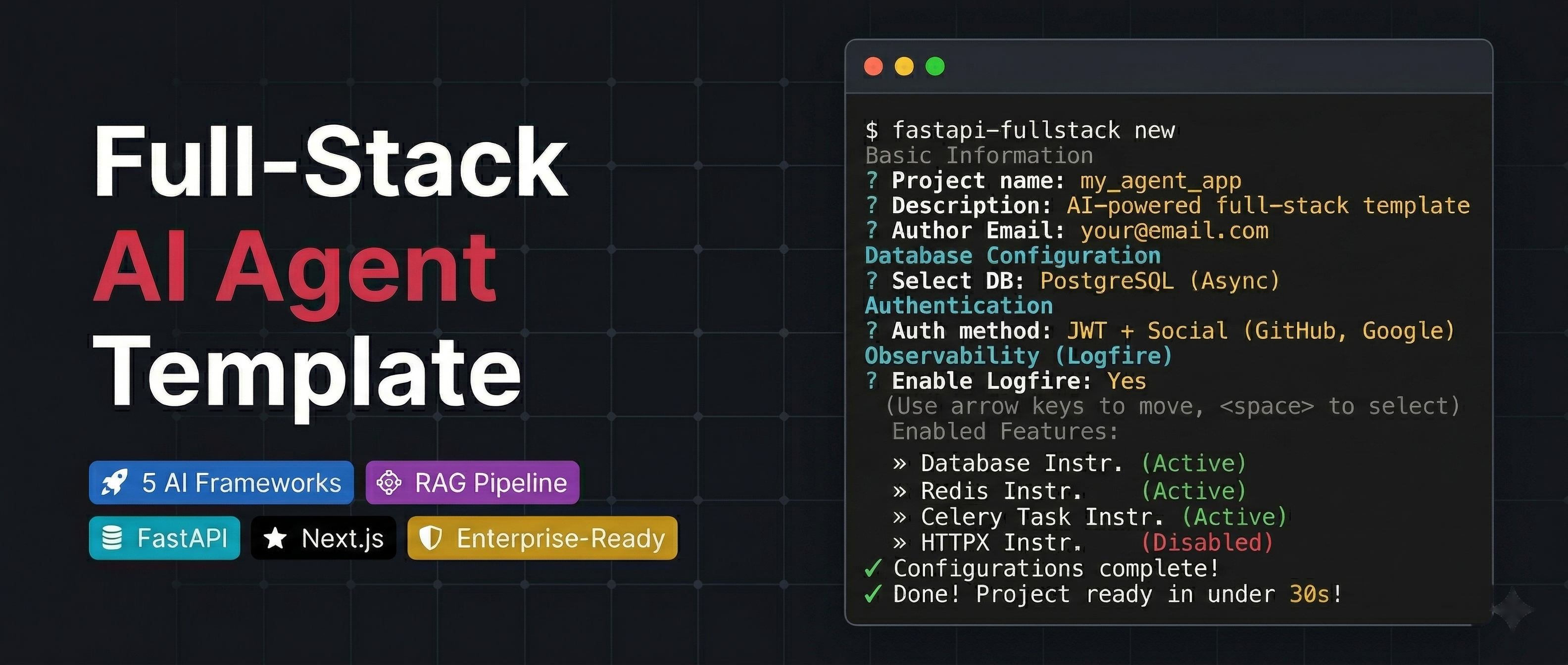
Production-ready FastAPI + Next.js project generator with AI agents, RAG, and 20+ enterprise integrations.
Quick Start • Features • Demo • Documentation • Configurator • PyPI








🤖 5 AI Agent Frameworks (PydanticAI, LangChain, LangGraph, CrewAI, DeepAgents)
📄 RAG Pipeline (Milvus, Qdrant, pgvector, ChromaDB)
⚡ FastAPI + Next.js 15 (WebSocket streaming, real-time chat UI)
🔒 Enterprise-Ready (JWT, OAuth, admin panel, Celery, Docker, K8s)
Table of Contents
Tip
Building advanced AI agents? Check out pydantic-deepagents — a deepagent framework built on pydantic-ai for building Claude Code-style AI agents with filesystem tools, subagent delegation, persistent memory, context management, cost tracking, and an interactive CLI.
Tip
Prefer a visual configurator? Use the Web Configurator to configure your project in the browser and download a ZIP — no CLI installation needed.
# pip
pip install fastapi-fullstack

# uv (recommended)
uv tool install fastapi-fullstack

# pipx
pipx install fastapi-fullstack# Interactive wizard (recommended — runs by default)
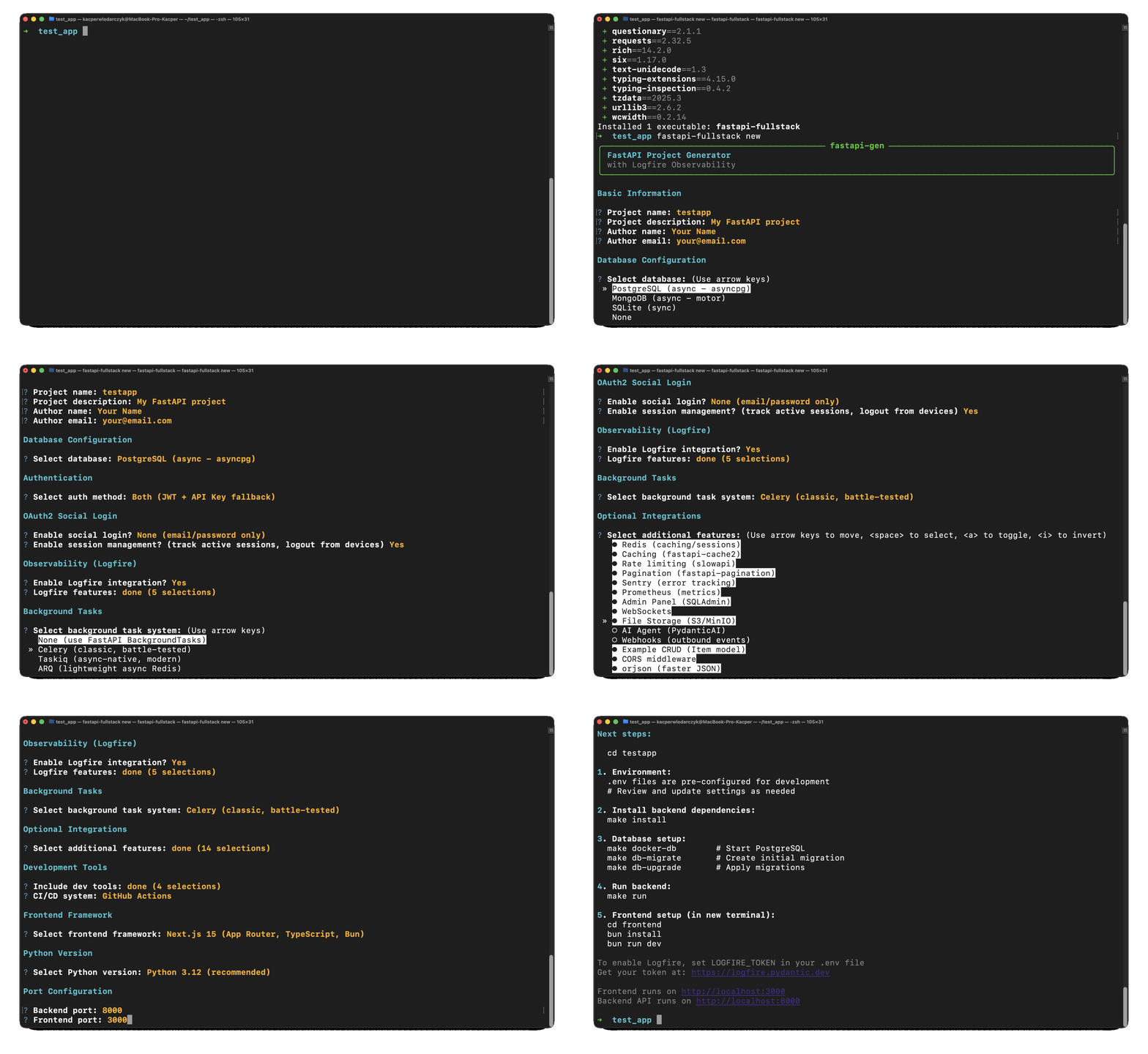
fastapi-fullstack
# Quick mode with options
fastapi-fullstack create my_ai_app \
--database postgresql \
--frontend nextjs
# Use presets for common setups
fastapi-fullstack create my_ai_app --preset production # Full production setup
fastapi-fullstack create my_ai_app --preset ai-agent # AI agent with streaming
# Minimal project (no extras)
fastapi-fullstack create my_ai_app --minimalAfter generating your project, follow these steps:
cd my_ai_app
make install
Note
Windows Users: The make command requires GNU Make which is not available by default on Windows.
Install via Chocolatey (choco install make), use WSL, or run raw commands manually.
Each generated project includes a "Manual Commands Reference" section in its README with all commands.
# PostgreSQL (with Docker)
make docker-dbWarning
Both commands are required! db-migrate creates the migration file, db-upgrade applies it to the database.
# Create initial migration (REQUIRED first time)
make db-migrate
# Enter message: "Initial migration"

# Apply migrations to create tables
make db-upgrademake create-admin
# Enter email and password when promptedmake runcd frontend
bun install
bun devAccess:
- API: http://localhost:8000
- Docs: http://localhost:8000/docs
- Admin Panel: http://localhost:8000/admin (login with admin user)
- Frontend: http://localhost:3000
Run everything in Docker:
make docker-up       # Start backend + database
make docker-frontend # Start frontendEach generated project has a CLI named after your project_slug. For example, if you created my_ai_app:
cd backend

# The CLI command is: uv run <project_slug> <command>
uv run my_ai_app server run --reload     # Start dev server
uv run my_ai_app db migrate -m "message" # Create migration
uv run my_ai_app db upgrade              # Apply migrations
uv run my_ai_app user create-admin       # Create admin user
Use make help to see all available Makefile shortcuts.
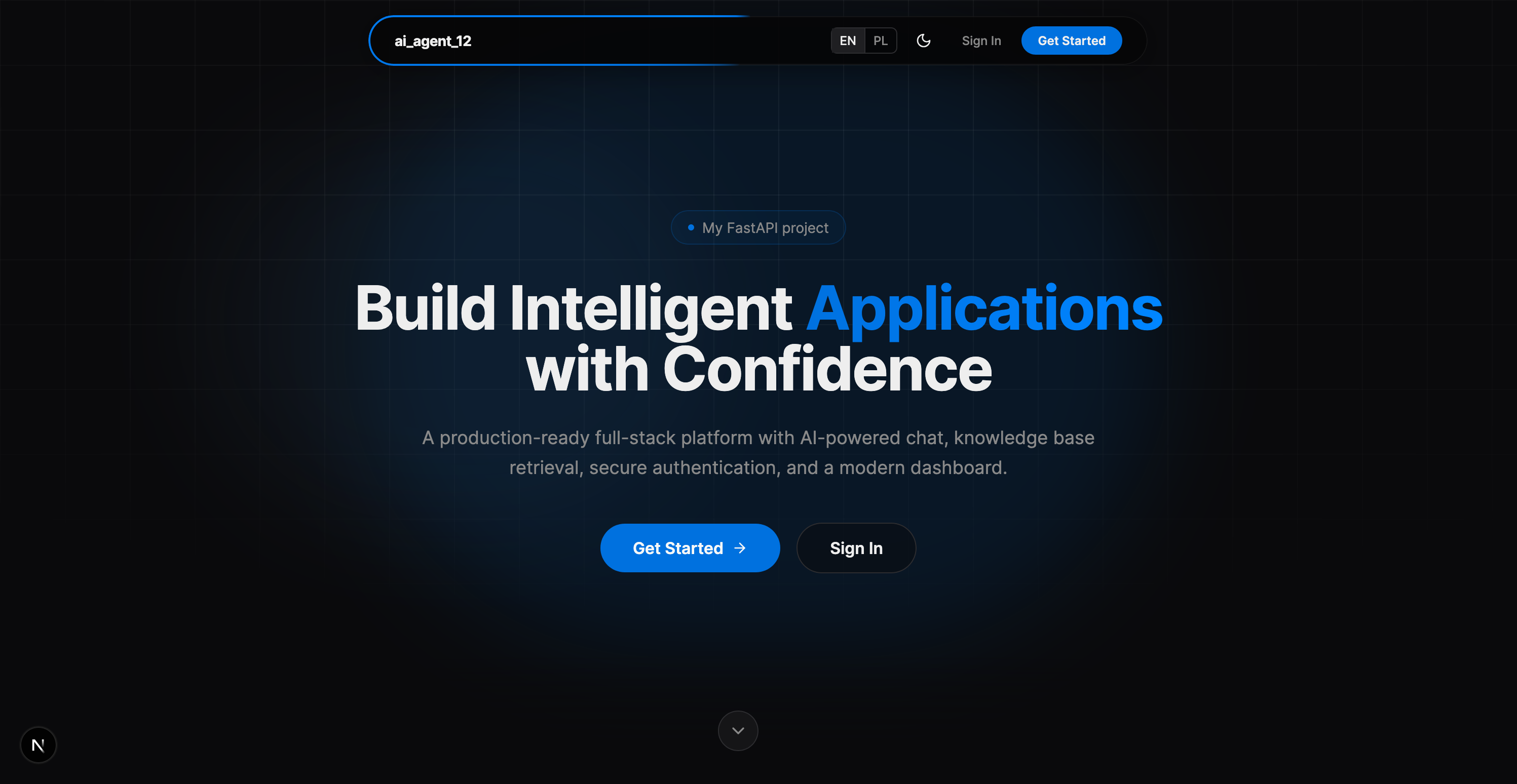
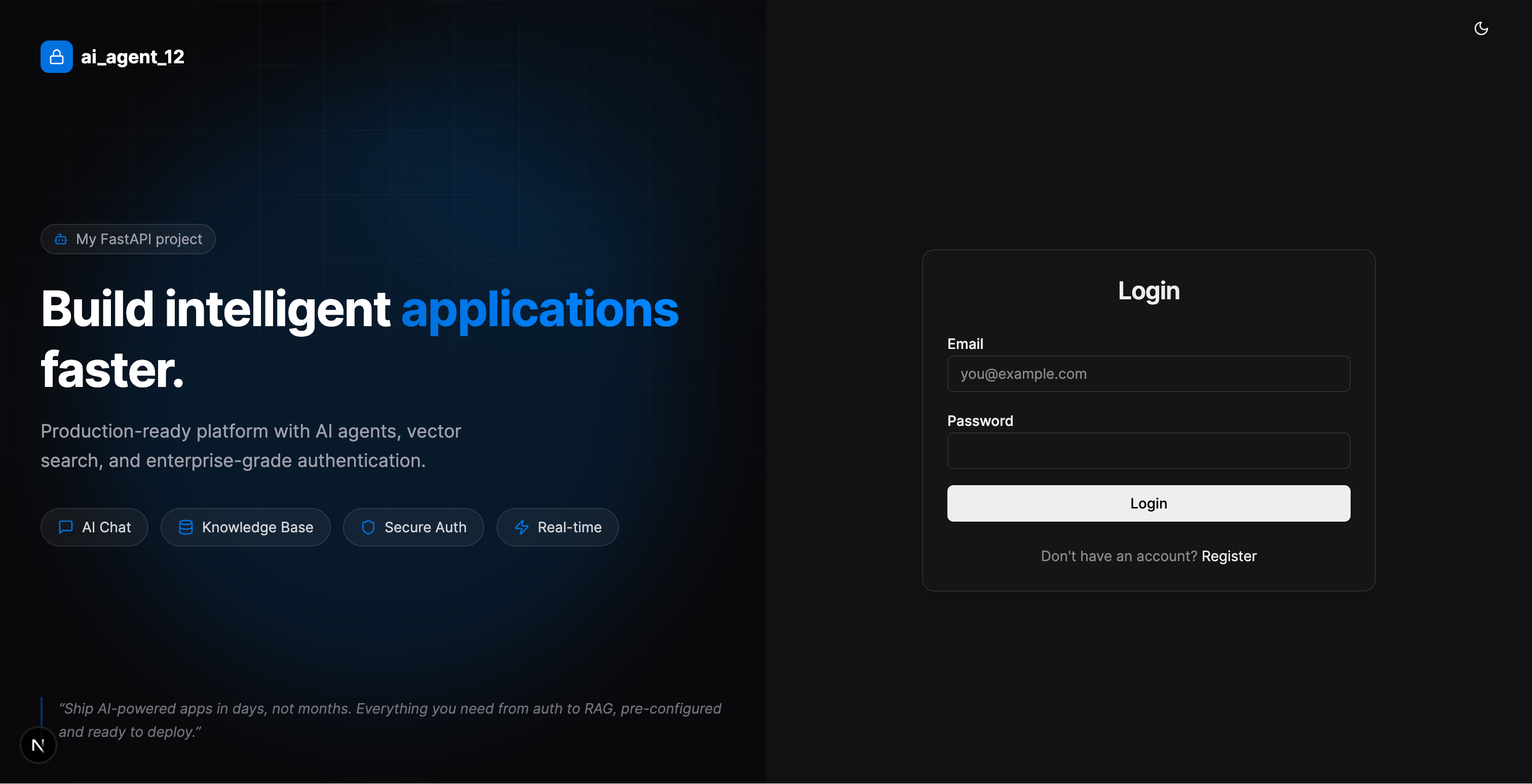
| Landing Page | Login |
|---|---|
 |
 |
| Dashboard | Chat with RAG |
|---|---|
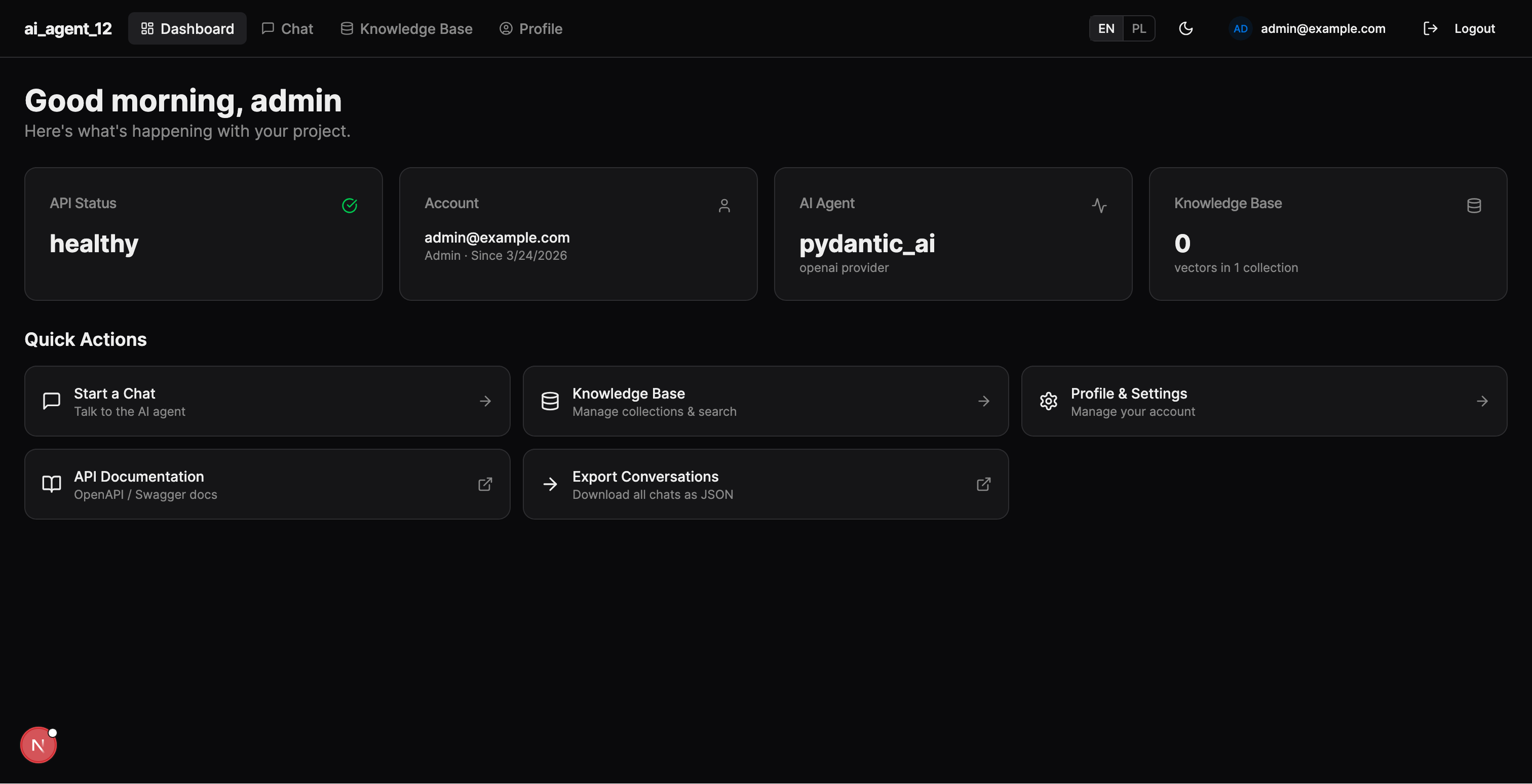 |
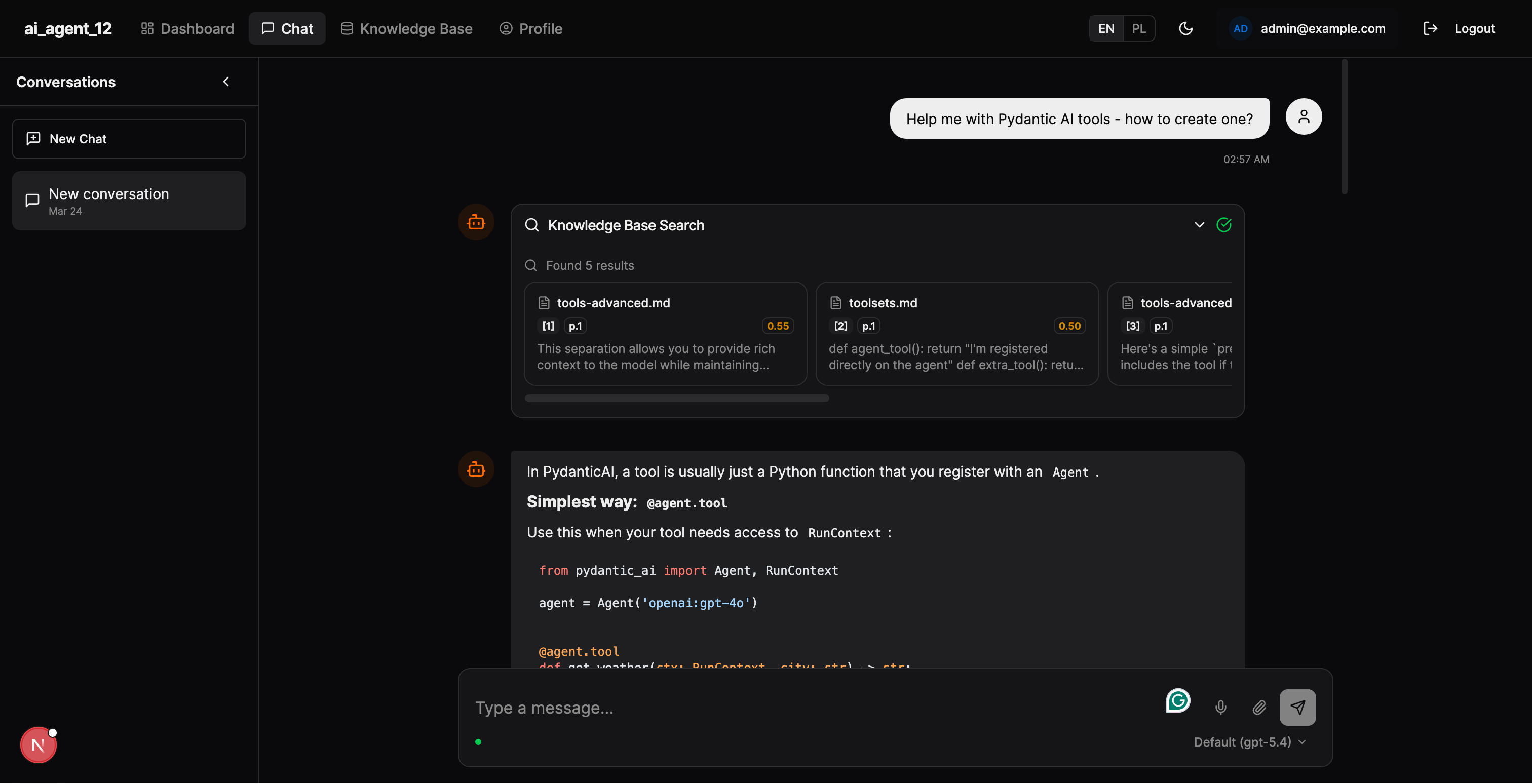 |
| Documents | Search |
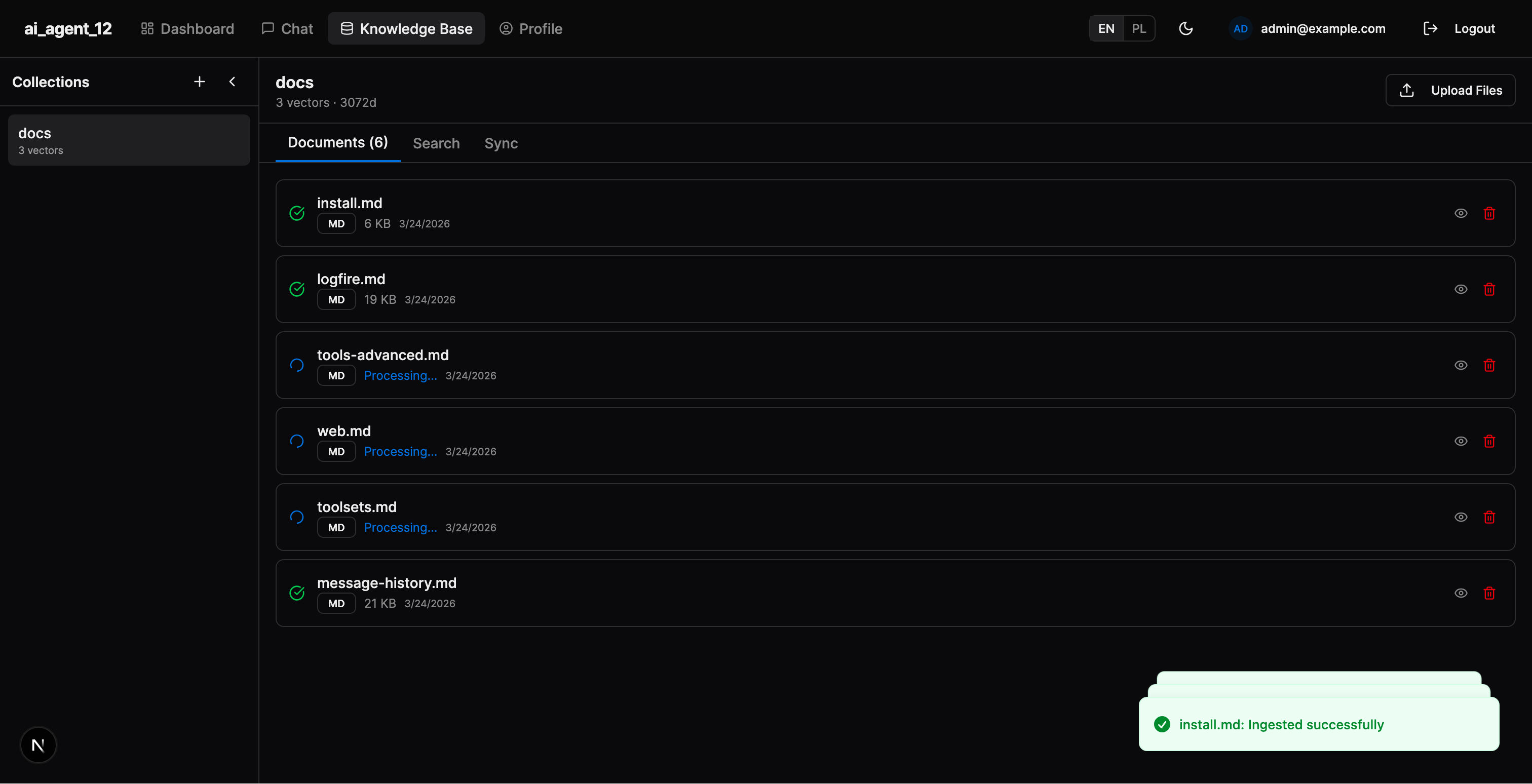 |
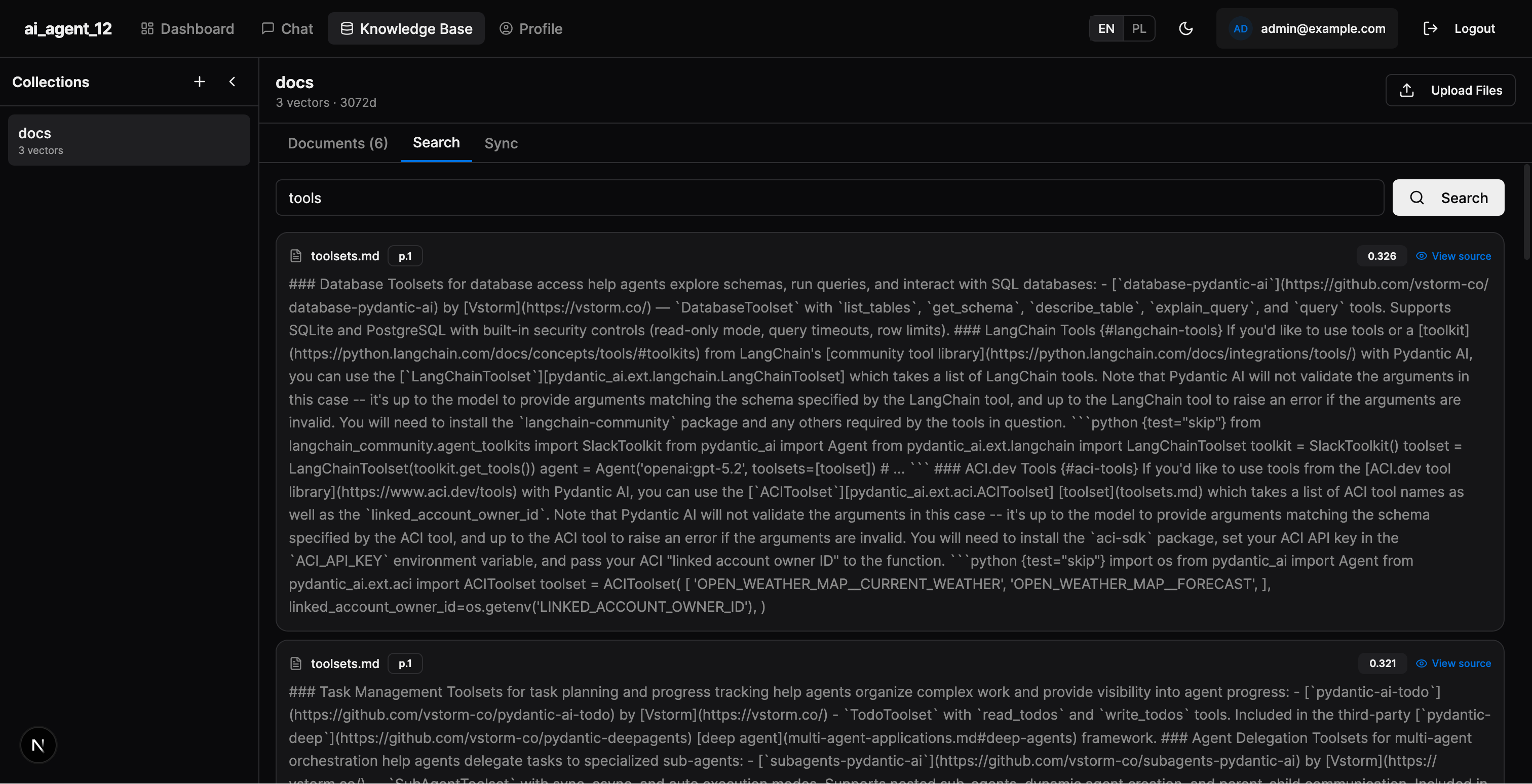 |
| Logfire (PydanticAI) | LangSmith (LangChain) |
|---|---|
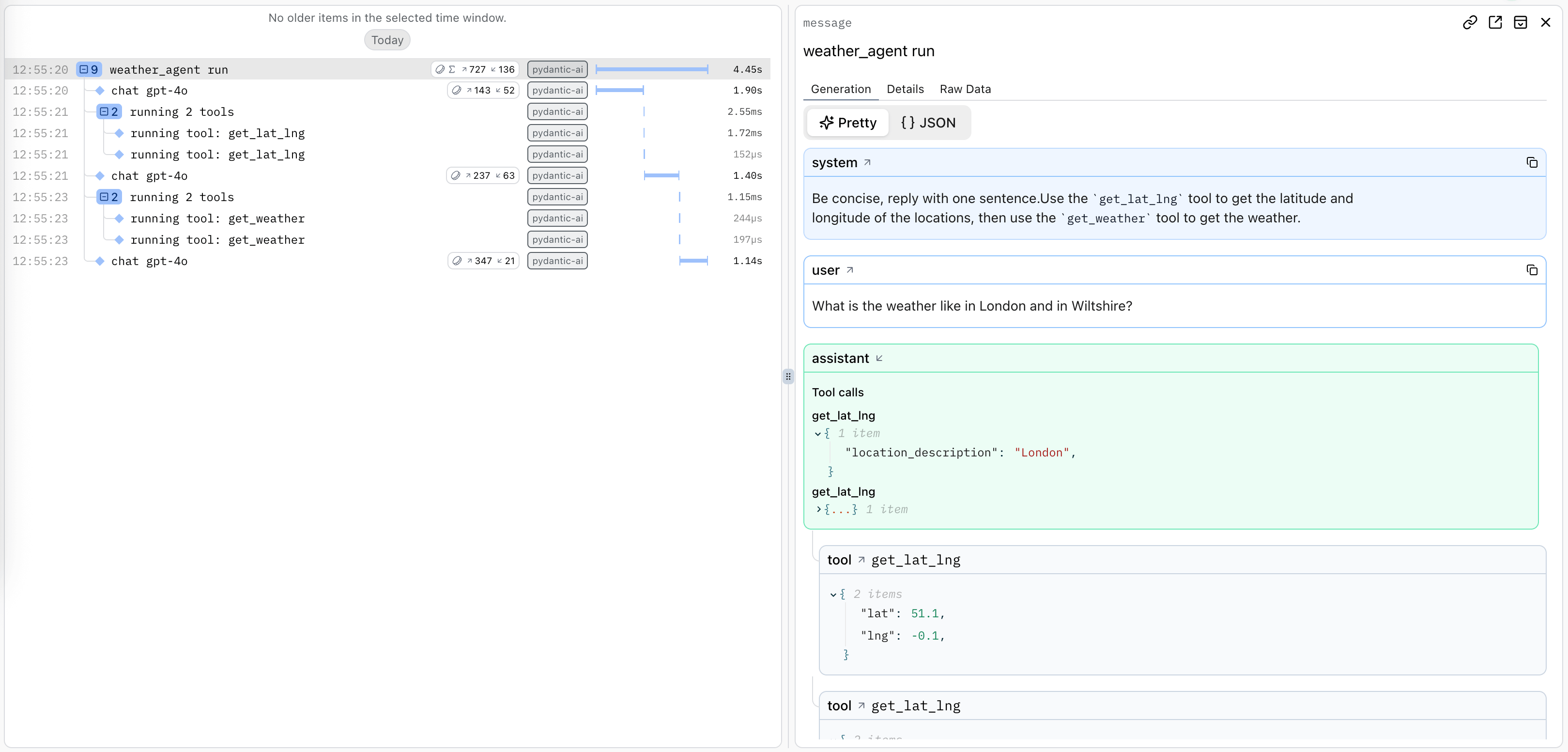 |
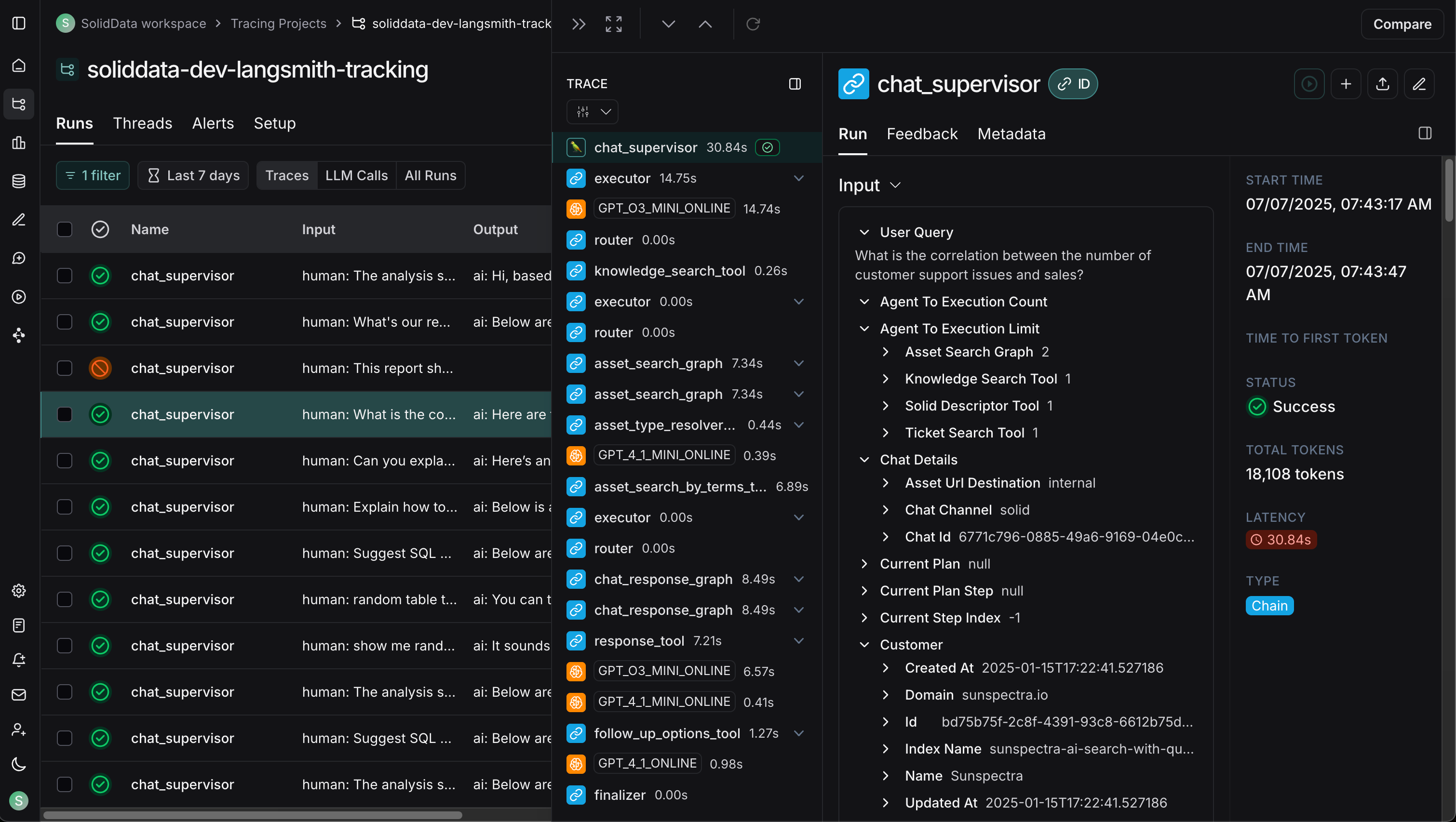 |
| Celery Flower | SQLAdmin Panel |
|---|---|
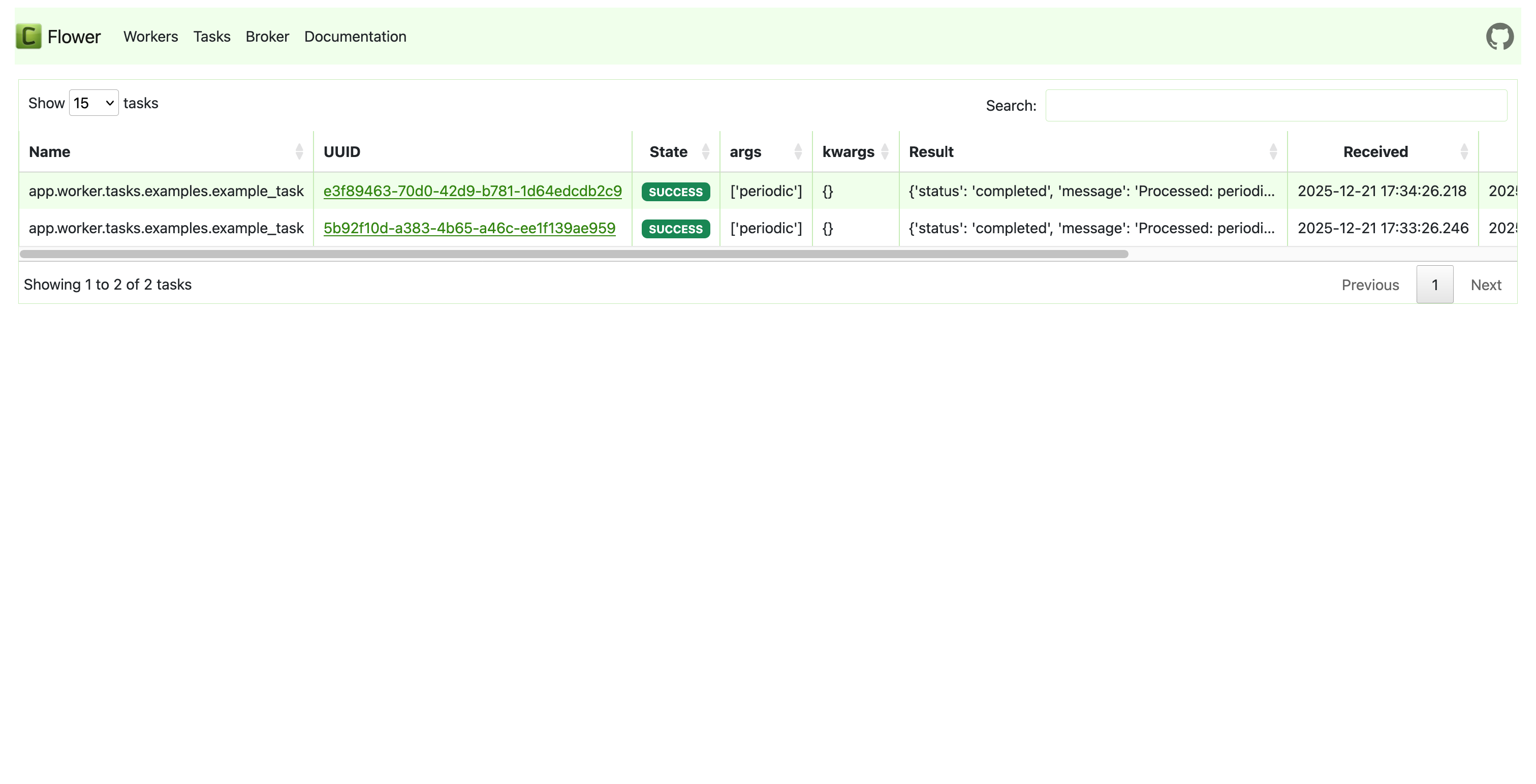 |
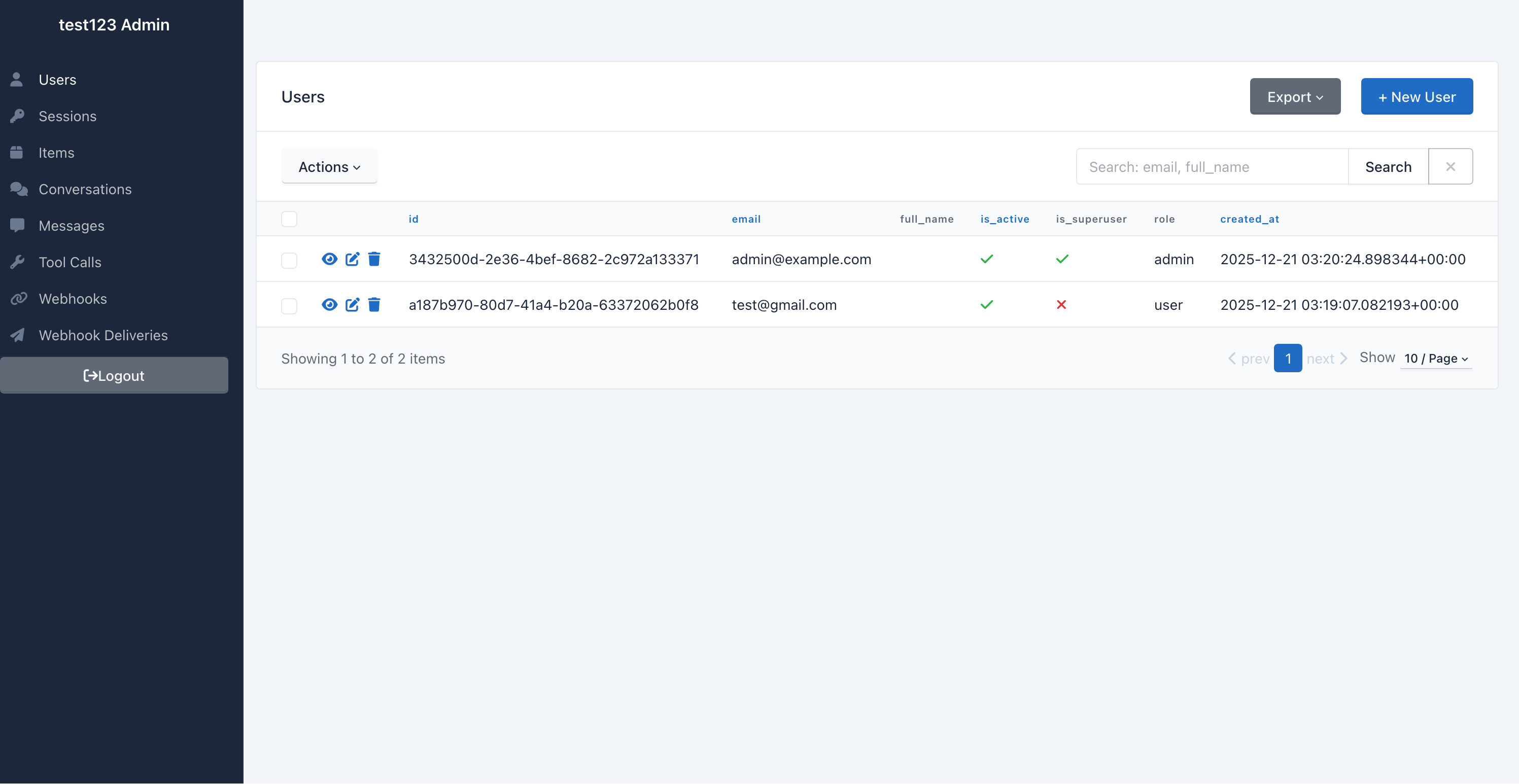 |
| API Documentation |
|---|
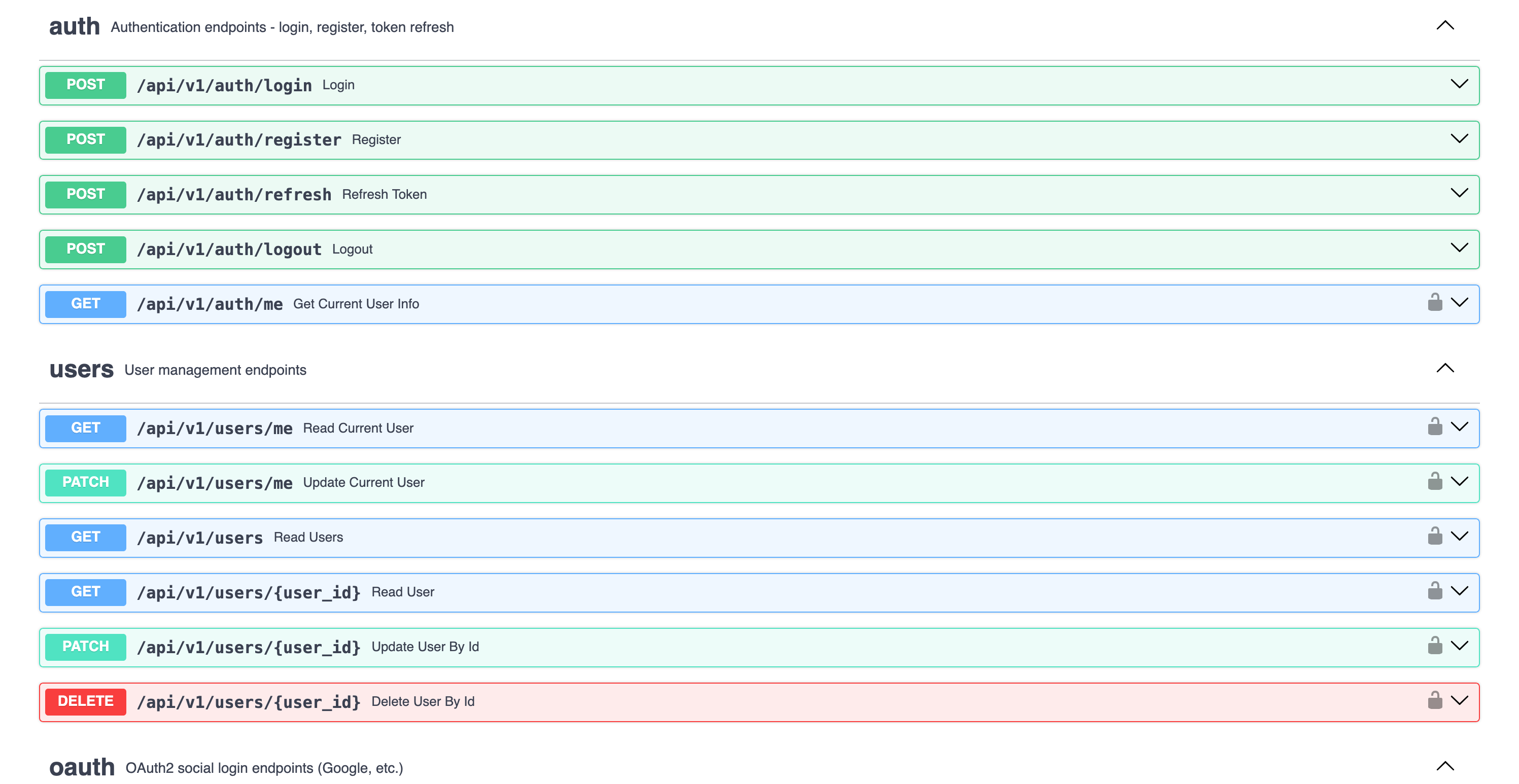 |
Building AI/LLM applications requires more than just an API wrapper. You need:
- Type-safe AI agents with tool/function calling
- Real-time streaming responses via WebSocket
- Conversation persistence and history management
- Production infrastructure - auth, rate limiting, observability
- Enterprise integrations - background tasks, webhooks, admin panels
This template gives you all of that out of the box, with 20+ configurable integrations so you can focus on building your AI product, not boilerplate.
- 🤖 AI Chatbots & Assistants - PydanticAI or LangChain agents with streaming responses
- 📊 ML Applications - Background task processing with Celery/Taskiq
- 🏢 Enterprise SaaS - Full auth, admin panel, webhooks, and more
- 🚀 Startups - Ship fast with production-ready infrastructure
Generated projects include CLAUDE.md and AGENTS.md files optimized for AI coding assistants (Claude Code, Codex, Copilot, Cursor, Zed). Following progressive disclosure best practices - concise project overview with pointers to detailed docs when needed.




- 5 AI Frameworks - PydanticAI, LangChain, LangGraph, CrewAI, DeepAgents
- 4 LLM Providers - OpenAI, Anthropic, Google Gemini, OpenRouter
- RAG - Document ingestion, vector search, reranking (Milvus, Qdrant, ChromaDB, pgvector)
- WebSocket Streaming - Real-time responses with full event access
- Conversation Persistence - Save chat history to database
- Image Description - Extract images from documents, describe via LLM vision
- Multimodal Embeddings - Google Gemini embedding model (text + images)
- Document Sources - Local files, API upload, Google Drive, S3/MinIO
- Sync Sources - Configurable connectors (Google Drive, S3) with scheduled sync
- Observability - Logfire for PydanticAI, LangSmith for LangChain/LangGraph/DeepAgents
- FastAPI + Pydantic v2 - High-performance async API
- Multiple Databases - PostgreSQL (async), MongoDB (async), SQLite
- Authentication - JWT + Refresh tokens, API Keys, OAuth2 (Google)
- Background Tasks - Celery, Taskiq, or ARQ
- Django-style CLI - Custom management commands with auto-discovery
- React 19 + TypeScript + Tailwind CSS v4
- AI Chat Interface - WebSocket streaming, tool call visualization
- Authentication - HTTP-only cookies, auto-refresh
- Dark Mode + i18n
| Category | Integrations |
|---|---|
| AI Frameworks | PydanticAI, LangChain, LangGraph, CrewAI, DeepAgents |
| LLM Providers | OpenAI, Anthropic, Google Gemini, OpenRouter |
| RAG / Vector Stores | Milvus, Qdrant, ChromaDB, pgvector |
| RAG Sources | Local files, API upload, Google Drive, S3/MinIO, Sync Sources (configurable, scheduled) |
| Embeddings | OpenAI, Voyage, Gemini (multimodal), SentenceTransformers |
| Caching & State | Redis, fastapi-cache2 |
| Security | Rate limiting, CORS, CSRF protection |
| Observability | Logfire, LangSmith, Sentry, Prometheus |
| Admin | SQLAdmin panel with auth |
| Events | Webhooks, WebSockets |
| DevOps | Docker, GitHub Actions, GitLab CI, Kubernetes |
┌──────────────────────────────────────────────────────────────────────────┐
│                         FRONTEND  (Next.js 15)                           │
│  Chat UI · Knowledge Base · Dashboard · Settings · Dark Mode · i18n      │
└──────────────┬───────────────────────────────────────────┬───────────────┘
               │  REST / WebSocket                         │  Vercel
               ▼                                           ▼
┌──────────────────────────────────────────────────────────────────────────┐
│                         BACKEND  (FastAPI)                               │
│                                                                          │
│  ┌─────────────────────────────────────────────────────────────────┐     │
│  │                     AI AGENTS                                   │     │
│  │  PydanticAI · LangChain · LangGraph · CrewAI · DeepAgents       │     │
│  │  ────────────────────────────────────────────────────────────   │     │
│  │  Tools: datetime · web_search (Tavily) · search_knowledge_base  │     │
│  │  Providers: OpenAI · Anthropic · Gemini · OpenRouter            │     │
│  └─────────────────────────────────────────────────────────────────┘     │
│                                                                          │
│  ┌─────────────────────────────────────────────────────────────────┐     │
│  │                     RAG PIPELINE                                │     │
│  │                                                                 │     │
│  │  Sources        Parse           Chunk          Embed            │     │
│  │  ─────────      ──────────      ──────────     ──────────────   │     │
│  │  Local files    PyMuPDF         recursive      OpenAI           │     │
│  │  API upload     LiteParse       markdown       Voyage           │     │
│  │  Google Drive   LlamaParse      fixed          Gemini (multi)   │     │
│  │  S3/MinIO       python-docx                    SentenceTransf.  │     │
│  │  Sync Sources                                                   │     │
│  │                                                                 │     │
│  │  Store              Search              Rank                    │     │
│  │  ──────────────     ──────────────      ──────────────          │     │
│  │  Milvus             Vector similarity   Cohere reranker         │     │
│  │  Qdrant             BM25 + vector RRF   CrossEncoder            │     │
│  │  ChromaDB           Multi-collection                            │     │
│  │  pgvector                                                       │     │
│  └─────────────────────────────────────────────────────────────────┘     │
│                                                                          │
│  Auth (JWT/API Key/OAuth) · Rate Limiting · Webhooks · Admin Panel       │
│  Background Tasks (Celery/Taskiq/ARQ) · Django-style CLI                 │
│  Observability (Logfire/LangSmith/Sentry/Prometheus)                     │
└───────┬──────────────┬──────────────┬──────────────┬─────────────────────┘
        │              │              │              │
        ▼              ▼              ▼              ▼
   PostgreSQL       Redis         Vector DB      LLM APIs
   MongoDB                        (Milvus/       (OpenAI/
   SQLite                         Qdrant/        Anthropic/
                                  ChromaDB/      Gemini)
                                  pgvector)
graph TB
    subgraph Frontend["Frontend (Next.js 15)"]
        UI[React Components]
        WS[WebSocket Client]
        Store[Zustand Stores]
    end

    subgraph Backend["Backend (FastAPI)"]
        API[API Routes]
        Services[Services Layer]
        Repos[Repositories]
        Agent[AI Agent]
    end

    subgraph Infrastructure
        DB[(PostgreSQL/MongoDB)]
        Redis[(Redis)]
        Queue[Celery/Taskiq]
    end

    subgraph External
        LLM[OpenAI/Anthropic]
        Webhook[Webhook Endpoints]
    end

    UI --> API
    WS <--> Agent
    API --> Services
    Services --> Repos
    Services --> Agent
    Repos --> DB
    Agent --> LLM
    Services --> Redis
    Services --> Queue
    Services --> Webhook
The backend follows a clean Repository + Service pattern:
graph LR
    A[API Routes] --> B[Services]
    B --> C[Repositories]
    C --> D[(Database)]

    B --> E[External APIs]
    B --> F[AI Agents]
| Layer | Responsibility |
|---|---|
| Routes | HTTP handling, validation, auth |
| Services | Business logic, orchestration |
| Repositories | Data access, queries |
See Architecture Documentation for details.
Choose from 5 AI frameworks and 4 LLM providers when generating your project:
# PydanticAI with OpenAI (default)
fastapi-fullstack create my_app --ai-framework pydantic_ai

# LangGraph with Anthropic
fastapi-fullstack create my_app --ai-framework langgraph --llm-provider anthropic

# CrewAI with Google Gemini
fastapi-fullstack create my_app --ai-framework crewai --llm-provider google

# DeepAgents with OpenAI
fastapi-fullstack create my_app --ai-framework deepagents

# With RAG enabled
fastapi-fullstack create my_app --rag --database postgresql --task-queue celery| Framework | OpenAI | Anthropic | Gemini | OpenRouter |
|---|---|---|---|---|
| PydanticAI | ✓ | ✓ | ✓ | ✓ |
| LangChain | ✓ | ✓ | ✓ | - |
| LangGraph | ✓ | ✓ | ✓ | - |
| CrewAI | ✓ | ✓ | ✓ | - |
| DeepAgents | ✓ | ✓ | ✓ | - |
Type-safe agents with full dependency injection:
# app/agents/assistant.py
from pydantic_ai import Agent, RunContext

@dataclass
class Deps:
    user_id: str | None = None
    db: AsyncSession | None = None

agent = Agent[Deps, str](
    model="openai:gpt-4o-mini",
    system_prompt="You are a helpful assistant.",
)

@agent.tool
async def search_database(ctx: RunContext[Deps], query: str) -> list[dict]:
    """Search the database for relevant information."""
    # Access user context and database via ctx.deps
...Flexible agents with LangGraph:
# app/agents/langchain_assistant.py
from langchain.tools import tool
from langgraph.prebuilt import create_react_agent

@tool
def search_database(query: str) -> list[dict]:
    """Search the database for relevant information."""
    ...

agent = create_react_agent(
    model=ChatOpenAI(model="gpt-4o-mini"),
    tools=[search_database],
    prompt="You are a helpful assistant.",
)Both frameworks use the same WebSocket endpoint with real-time streaming:
@router.websocket("/ws")
async def agent_ws(websocket: WebSocket):
    await websocket.accept()

    # Works with both PydanticAI and LangChain
    async for event in agent.stream(user_input):
        await websocket.send_json({
            "type": "text_delta",
            "content": event.content
})Each framework has its own observability solution:
| Framework | Observability | Dashboard |
|---|---|---|
| PydanticAI | Logfire | Agent runs, tool calls, token usage |
| LangChain | LangSmith | Traces, feedback, datasets |
See AI Agent Documentation for more.
Enable RAG to give your AI agents access to a knowledge base built from your documents.
| Backend | Type | Docker Required | Best For |
|---|---|---|---|
| Milvus | Dedicated vector DB | Yes (3 services) | Production, large scale |
| Qdrant | Dedicated vector DB | Yes (1 service) | Production, simple setup |
| ChromaDB | Embedded / HTTP | No | Development, prototyping |
| pgvector | PostgreSQL extension | No (uses existing PG) | Already have PostgreSQL |
# Local files
uv run my_app rag-ingest /path/to/document.pdf --collection docs
uv run my_app rag-ingest /path/to/folder/ --recursive

# Google Drive (service account)
uv run my_app rag-sync-gdrive --collection docs --folder-id <drive_folder_id>

# S3/MinIO
uv run my_app rag-sync-s3 --collection docs --prefix reports/ --bucket my-bucket| Provider | Model | Dimensions | Multimodal |
|---|---|---|---|
| OpenAI | text-embedding-3-small | 1536 | - |
| Voyage | voyage-3 | 1024 | - |
| Gemini | gemini-embedding-exp-03-07 | 3072 | Text + Images |
| SentenceTransformers | all-MiniLM-L6-v2 | 384 | - |
- Document parsing - PDF (PyMuPDF with tables, headers/footers, OCR), DOCX, TXT, MD + 130+ formats via LlamaParse
- Image description - Extract images from documents, describe via LLM vision API (opt-in)
- Chunking - RecursiveCharacterTextSplitter with configurable size/overlap
- Reranking - Cohere API or local CrossEncoder for improved search quality
- Agent integration - All 5 AI frameworks get a
search_knowledge_basetool automatically
Logfire provides complete observability for your application - from AI agents to database queries. Built by the Pydantic team, it offers first-class support for the entire Python ecosystem.
graph LR
    subgraph Your App
        API[FastAPI]
        Agent[PydanticAI]
        DB[(Database)]
        Cache[(Redis)]
        Queue[Celery/Taskiq]
        HTTP[HTTPX]
    end

    subgraph Logfire
        Traces[Traces]
        Metrics[Metrics]
        Logs[Logs]
    end

    API --> Traces
    Agent --> Traces
    DB --> Traces
    Cache --> Traces
    Queue --> Traces
    HTTP --> Traces
| Component | What You See |
|---|---|
| PydanticAI | Agent runs, tool calls, LLM requests, token usage, streaming events |
| FastAPI | Request/response traces, latency, status codes, route performance |
| PostgreSQL/MongoDB | Query execution time, slow queries, connection pool stats |
| Redis | Cache hits/misses, command latency, key patterns |
| Celery/Taskiq | Task execution, queue depth, worker performance |
| HTTPX | External API calls, response times, error rates |
LangSmith provides observability specifically designed for LangChain applications:
| Feature | Description |
|---|---|
| Traces | Full execution traces for agent runs and chains |
| Feedback | Collect user feedback on agent responses |
| Datasets | Build evaluation datasets from production data |
| Monitoring | Track latency, errors, and token usage |
LangSmith is automatically configured when you choose LangChain:
# .env
LANGCHAIN_TRACING_V2=true
LANGCHAIN_API_KEY=your-api-key
LANGCHAIN_PROJECT=my_projectEnable Logfire and select which components to instrument:
fastapi-fullstack new
# ✓ Enable Logfire observability
#   ✓ Instrument FastAPI
#   ✓ Instrument Database
#   ✓ Instrument Redis
#   ✓ Instrument Celery
# ✓ Instrument HTTPX# Automatic instrumentation in app/main.py
import logfire
logfire.configure()
logfire.instrument_fastapi(app)
logfire.instrument_asyncpg()
logfire.instrument_redis()
logfire.instrument_httpx()# Manual spans for custom logic
with logfire.span("process_order", order_id=order.id):
await validate_order(order)
await charge_payment(order)
await send_confirmation(order)For more details, see Logfire Documentation.
Each generated project includes a powerful CLI inspired by Django's management commands:
# Server
my_app server run --reload
my_app server routes

# Database (Alembic wrapper)
my_app db init
my_app db migrate -m "Add users"
my_app db upgrade

# Users
my_app user create --email admin@example.com --superuser
my_app user listCreate your own commands with auto-discovery:
# app/commands/seed.py
from app.commands import command, success, error
import click

@command("seed", help="Seed database with test data")
@click.option("--count", "-c", default=10, type=int)
@click.option("--dry-run", is_flag=True)
def seed_database(count: int, dry_run: bool):
    """Seed the database with sample data."""
    if dry_run:
        info(f"[DRY RUN] Would create {count} records")
        return

    # Your logic here
    success(f"Created {count} records!")
Commands are automatically discovered from app/commands/ - just create a file and use the @command decorator.
my_app cmd seed --count 100
my_app cmd seed --dry-runmy_project/
├── backend/
│ ├── app/
│ │ ├── main.py # FastAPI app with lifespan
│ │ ├── api/
│ │ │ ├── routes/v1/ # Versioned API endpoints
│ │ │ ├── deps.py # Dependency injection
│ │ │ └── router.py # Route aggregation
│ │ ├── core/ # Config, security, middleware
│ │ ├── db/models/ # SQLAlchemy/MongoDB models
│ │ ├── schemas/ # Pydantic schemas
│ │ ├── repositories/ # Data access layer
│ │ ├── services/ # Business logic
│ │ ├── agents/ # AI agents with centralized prompts
│ │ ├── rag/ # RAG module (vector store, embeddings, ingestion)
│ │ ├── commands/ # Django-style CLI commands
│ │ └── worker/ # Background tasks
│ ├── cli/ # Project CLI
│ ├── tests/ # pytest test suite
│ └── alembic/ # Database migrations
├── frontend/
│ ├── src/
│ │ ├── app/ # Next.js App Router
│ │ ├── components/ # React components
│ │ ├── hooks/ # useChat, useWebSocket, etc.
│ │ └── stores/ # Zustand state management
│ └── e2e/ # Playwright tests
├── docker-compose.yml
├── Makefile
└── README.md
Generated projects include version metadata in pyproject.toml for tracking:
[tool.fastapi-fullstack]
generator_version = "0.1.5"
generated_at = "2024-12-21T10:30:00+00:00"| Option | Values | Description |
|---|---|---|
| Database | postgresql, mongodb, sqlite, none |
Async by default |
| ORM | sqlalchemy, sqlmodel |
SQLModel for simplified syntax |
| Auth | jwt, api_key, both, none |
JWT includes user management |
| OAuth | none, google |
Social login |
| AI Framework | pydantic_ai, langchain, langgraph, crewai, deepagents |
Choose your AI agent framework |
| LLM Provider | openai, anthropic, google, openrouter |
OpenRouter only with PydanticAI |
| RAG | --rag |
Enable RAG with vector database |
| Vector Store | milvus, qdrant, chromadb, pgvector |
pgvector uses existing PostgreSQL |
| Background Tasks | none, celery, taskiq, arq |
Distributed queues |
| Frontend | none, nextjs |
Next.js 15 + React 19 |
| Preset | Description |
|---|---|
--preset production |
Full production setup with Redis, Sentry, Kubernetes, Prometheus |
--preset ai-agent |
AI agent with WebSocket streaming and conversation persistence |
--minimal |
Minimal project with no extras |
Select what you need:
fastapi-fullstack new
# ✓ Redis (caching/sessions)
# ✓ Rate limiting (slowapi)
# ✓ Pagination (fastapi-pagination)
# ✓ Admin Panel (SQLAdmin)
# ✓ AI Agent (PydanticAI or LangChain)
# ✓ Webhooks
# ✓ Sentry
# ✓ Logfire / LangSmith
# ✓ Prometheus
# ... and moreSetting up a production AI agent stack manually means wiring together 10+ tools yourself:
# Without this template, you'd need to manually:
# 1. Set up FastAPI project structure
# 2. Configure SQLAlchemy + Alembic migrations
# 3. Implement JWT auth with refresh tokens
# 4. Build WebSocket streaming for AI responses
# 5. Integrate PydanticAI/LangChain with tool calling
# 6. Set up RAG pipeline (parsing, chunking, embedding, vector store)
# 7. Configure Celery + Redis for background tasks
# 8. Build Next.js frontend with auth and chat UI
# 9. Write Docker Compose for all services
# 10. Add observability, rate limiting, admin panel...

# With this template:
pip install fastapi-fullstack
fastapi-fullstack
# Done. All of the above, configured and working.| Feature | This Template | full-stack-fastapi-template | create-t3-app |
|---|---|---|---|
| AI Agents (5 frameworks) | ✅ | ❌ | ❌ |
| RAG Pipeline (4 vector stores) | ✅ | ❌ | ❌ |
| WebSocket Streaming | ✅ | ❌ | ❌ |
| Conversation Persistence | ✅ | ❌ | ❌ |
| LLM Observability (Logfire/LangSmith) | ✅ | ❌ | ❌ |
| FastAPI Backend | ✅ | ✅ | ❌ |
| Next.js Frontend | ✅ (v15) | ❌ | ✅ |
| JWT + OAuth Authentication | ✅ | ✅ | ✅ (NextAuth) |
| Background Tasks (Celery/Taskiq/ARQ) | ✅ | ✅ (Celery) | ❌ |
| Admin Panel | ✅ (SQLAdmin) | ❌ | ❌ |
| Multiple Databases (PG/Mongo/SQLite) | ✅ | PostgreSQL only | Prisma |
| Docker + K8s | ✅ | ✅ | ❌ |
| Interactive CLI Wizard | ✅ | ❌ | ✅ |
| Django-style Commands | ✅ | ❌ | ❌ |
| Document Sources (GDrive, S3, API) | ✅ | ❌ | ❌ |
| AI-Agent Friendly (CLAUDE.md) | ✅ | ❌ | ❌ |
How is this different from full-stack-fastapi-template?
full-stack-fastapi-template by @tiangolo is a great starting point for FastAPI projects, but it focuses on traditional web apps. This template is purpose-built for AI/LLM applications — it adds AI agents (5 frameworks), RAG with 4 vector stores, WebSocket streaming, conversation persistence, LLM observability, and a Next.js chat UI out of the box.
Can I use this without AI/LLM features?
Yes. The AI agent and RAG modules are optional. You can use this as a pure FastAPI + Next.js template with auth, admin panel, background tasks, and all other infrastructure — just skip the AI framework selection during setup.
What Python and Node.js versions are required?
Python 3.11+ and Node.js 18+ (for the Next.js frontend). We recommend using uv for Python and bun for the frontend.
Can I add integrations after project generation?
The generated project is plain code — no lock-in or runtime dependency on the generator. You can add, remove, or modify any integration manually. The template just gives you a well-structured starting point.
Can I use a different LLM provider than the one I selected?
Yes. The LLM provider is configured via environment variables (AI_MODEL, OPENAI_API_KEY, etc.). You can switch providers by changing the .env file and the model name — no code changes needed for PydanticAI (which supports all providers natively).
| Document | Description |
|---|---|
| Architecture | Repository + Service pattern, layered design |
| Frontend | Next.js setup, auth, state management |
| AI Agent | PydanticAI, tools, WebSocket streaming |
| Observability | Logfire integration, tracing, metrics |
| Deployment | Docker, Kubernetes, production setup |
| Development | Local setup, testing, debugging |
| Changelog | Version history and release notes |
This project is inspired by:
- full-stack-fastapi-template by @tiangolo
- fastapi-template by @s3rius
- FastAPI Best Practices by @zhanymkanov
- Django's management commands system
Contributions are welcome! Please read our Contributing Guide for details.
MIT License - see LICENSE for details.