Home
TUI and CLI for browsing AI models, benchmarks, coding agents, and provider statuses.


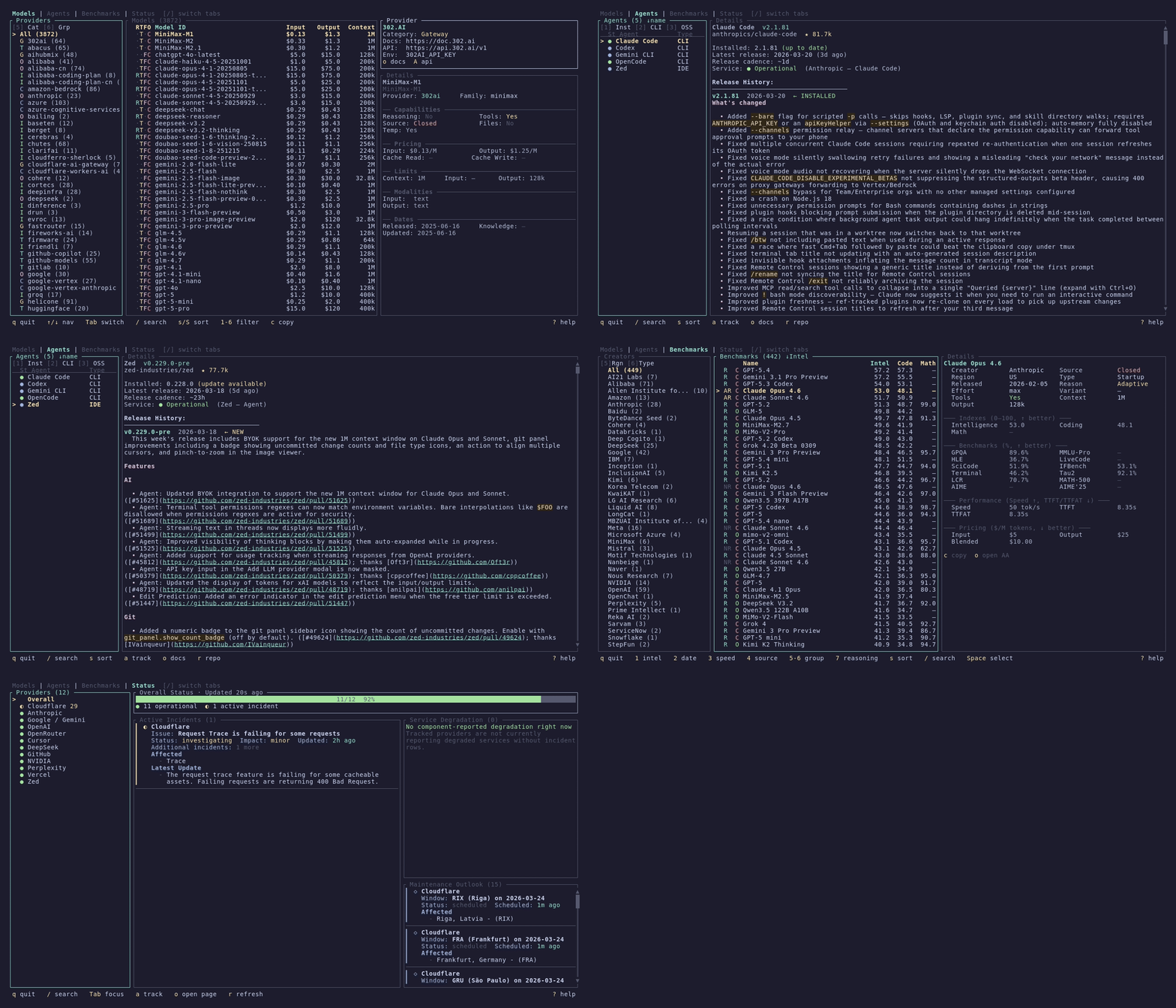
- Models -- Browse ~4,000+ models across 85+ providers with capability indicators, filtering, sorting, and a rich detail panel. CLI commands for querying, searching, and JSON output.
- Agents -- Track 11+ AI coding assistants with version detection, GitHub integration, changelogs, and live service health. CLI tools for status tables, release browsing, and changelog viewing.
- Benchmarks -- Compare model performance across 15+ benchmarks with head-to-head tables, scatter plots, and radar charts. CLI commands for querying and filtering benchmark data.
- Status -- Monitor provider health across 22 AI providers with live incident tracking and scheduled maintenance.
# Install
brew install models        # macOS/Linux
cargo install modelsdev    # Any platform

# Launch the TUI
models

# Or use the CLI
models list                # Interactive model picker
models show gpt-4o         # Model details
models benchmarks list     # Benchmark picker
models agents status       # Agent status table
See Installation for all installation methods and Getting Started for a walkthrough.
| Page | Description |
|---|---|
| Installation | All installation methods (Cargo, Homebrew, Scoop, AUR, .deb, .rpm, source) |
| Getting Started | First launch, navigation, and basic usage |
| Models | Models tab (TUI) and models CLI commands |
| Agents | Agents tab (TUI) and agents CLI commands |
| Benchmarks | Benchmarks tab (TUI) and benchmarks CLI commands |
| Status | Status tab for provider health monitoring |
| Configuration | Config file reference, custom agents, tracked providers |
| Data Sources | Where the data comes from and how it stays fresh |
| Contributing | How to contribute code, agents, or bug reports |
| Architecture | Internal design for contributors and developers |